 ofxAddons

Windows-first ray tracing addon with a retained scene API, OpenGL compute and DXR realtime backends, and an offline CPU path tracer.
README
ofxRealtimeRT
Windows-first ray tracing addon for openFrameworks, with realtime preview paths and an offline CPU path tracer.
Example Render Modes
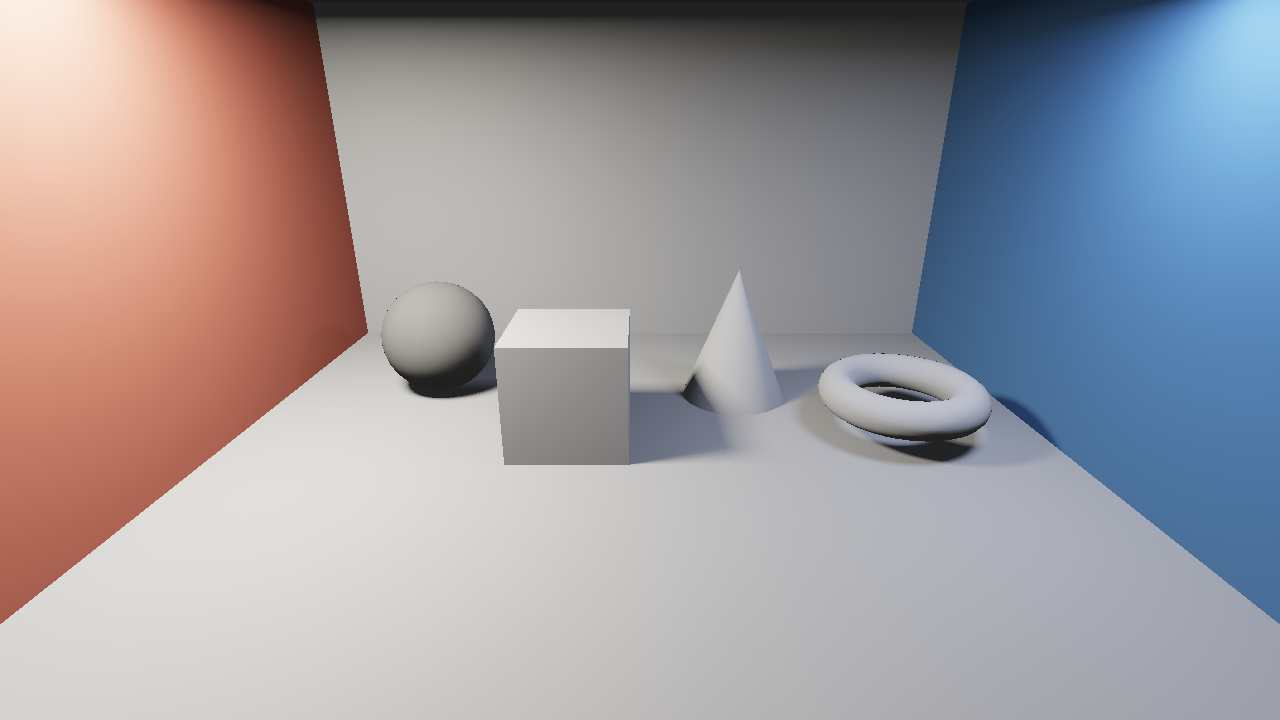
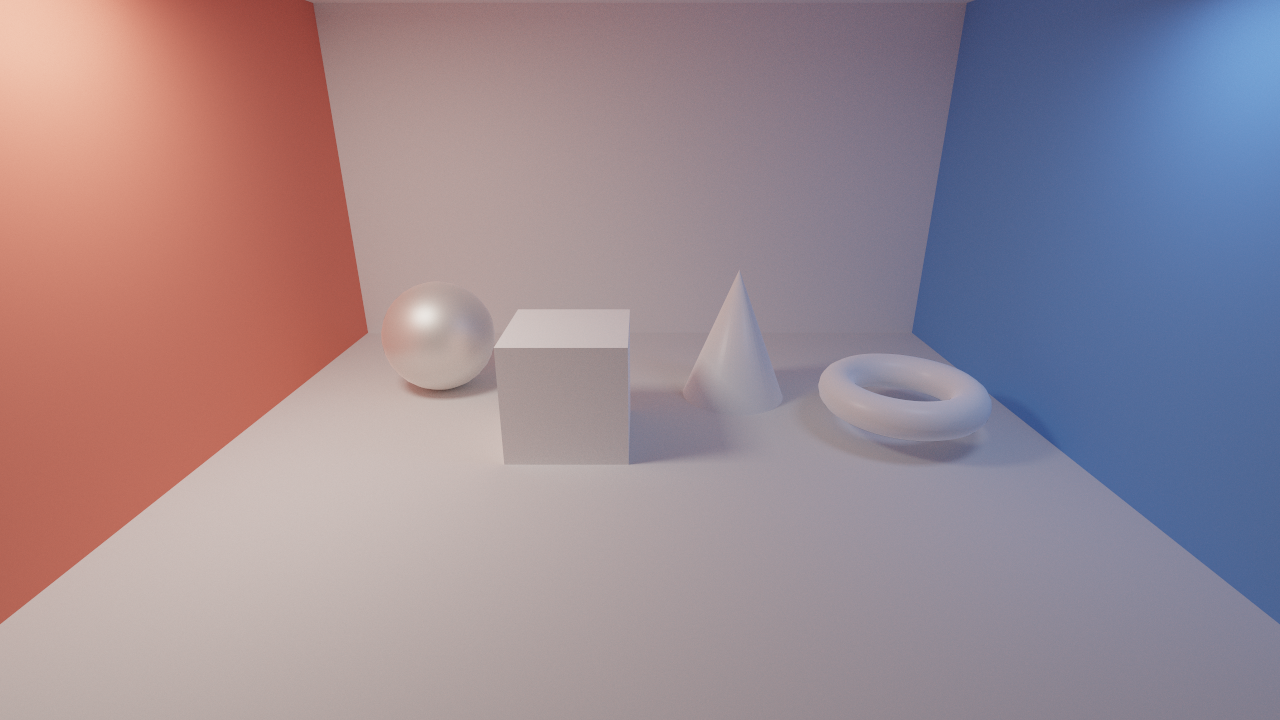
example-render-modes provides a compact comparison scene for realtime GL, DXR realtime, CPU path tracing, and DXR path tracing.Realtime GL:
DXR PathTrace:
Requirements
- openFrameworks 0.12.x
- Visual Studio x64
- OpenGL 4.3 context
- Windows + D3D12/DXR-capable GPU for the optional DXR backend
dxcompiler.dllavailable next to the app or from an installed Windows 10/11
What It Does
- Retained scene API with mesh, material, object, and area-light handles.
- OpenGL compute backend with CPU BVH build/refit, soft shadows, reflections,
- Windows DXR realtime backend with mesh BLAS caching, TLAS instances, raygen hit
- Offline CPU
PathTracerwith progressive accumulation, BVH traversal,
- Direct drawing path via
begin()/draw()/end()for quick sketches, plus
Scene for better reuse and performance.Pipeline
Scene handles
-> mesh/material/object tables
-> OpenGL compute, Windows DXR backend, or CPU PathTracer
-> cached acceleration data
-> output texture
Minimal Use
#include "ofxRealtimeRT.h"

ofxRealtimeRT::Renderer rt;
ofxRealtimeRT::Scene scene;
ofEasyCam cam;

void setup() {
	ofxRealtimeRT::RealtimeOptions options;
	options.output.resolutionScale = 1.0f;
	rt.setup(ofGetWidth(), ofGetHeight(), options);

	auto mesh = scene.createBoxMesh({120, 120, 120});
	auto object = scene.createMeshObject(
		mesh,
		ofxRealtimeRT::Material::matte({0.8f, 0.2f, 0.1f}));
}

void draw() {
	rt.render(scene, cam);
	rt.draw(0, 0, ofGetWidth(), ofGetHeight());
}
To request DXR on Windows:
rt.setBackend(ofxRealtimeRT::RenderBackend::DxrRealtime);The DXR realtime backend renders real scene data on Windows, while the OpenGL compute backend remains the portable baseline.
For best performance, create meshes and materials once, keep their handles, and animate objects with
Scene::setTransform(). This lets the DXR backend reuse mesh BLAS resources and update TLAS instances instead of treating every frame as new geometry. createMeshObject() is a convenience for setup code; hot paths should still reuse MeshHandle, MaterialHandle, and ObjectHandle.submitDraws() remains available as a compatibility path for quick sketches, but retained Scene objects are the preferred API for dynamic content.Offline Path Tracing
PathTracer is separate from the realtime Renderer. It shares Scene, Material, and Environment, but renders by accumulating samples over time instead of dispatching the realtime backend. The default backend is CPU; on Windows, PathTraceBackend::Dxr can be requested and will fall back to CPU when DXR or DXC is unavailable.#include "ofxRealtimeRT.h"
ofxRealtimeRT::PathTracer pt;
void setup() {
ofxRealtimeRT::PathTraceOptions options;
options.backend = ofxRealtimeRT::PathTraceBackend::Cpu;
options.sampling.samplesPerPixel = 256;
options.sampling.maxBounces = 8;
options.sampling.samplesPerStep = 1;
options.sampling.radianceClamp = 16.0f;
options.adaptive.enabled = true;
options.adaptive.minSamples = 16;
options.adaptive.varianceThreshold = 0.0025f;
pt.setup(ofGetWidth(), ofGetHeight(), options);
}
void draw() {
if (!pt.isComplete()) {
pt.render(scene, cam);
}
pt.draw(0, 0, ofGetWidth(), ofGetHeight());
}
void keyPressed(int key) {
if (key == 's') {
pt.saveImage("pathtrace.png");
}
if (key == 'r') {
pt.reset();
}
}The CPU tracer currently targets a practical MVP: pinhole camera rays, triangle BVH traversal, progressive accumulation, cosine diffuse sampling, simple metal reflection, simple glass/refraction, rectangular area-light sampling with MIS, emissive material hits, sky color, max-bounce limiting, Russian roulette, radiance clamping, and per-pixel adaptive sampling.
The DXR
PathTracer backend is a first Windows-only implementation. It owns a separate PathTracer DXR state, uploads the recorded triangle scene to BLAS/TLAS, uses a DXR raygen shader with a bounce loop, batches up to 64 samples per dispatch, applies the same direct-light MIS/radiance clamp/adaptive sampling controls, accumulates a running average into a float UAV texture, keeps adaptive statistics in a second UAV texture, queues readback without blocking the render loop, and then reuses the existing draw(), getPixels(), getFloatPixels(), and saveImage() paths when the latest readback completes. Current limits: GL interop is not used for this backend yet, mesh BLAS caching is not shared with the realtime DXR backend, rough glass still uses an approximate lobe around the ideal dielectric direction, and denoising is not implemented.Materials
Material is a plain value type, so advanced callers can edit fields directly. The helper methods below return clamped copies, which keeps common glass and thin-film presets readable without long argument lists.auto matte = ofxRealtimeRT::Material::matte({0.8f, 0.8f, 0.8f});
auto metal = ofxRealtimeRT::Material::metal({0.9f, 0.85f, 0.75f}, 0.18f);
auto glass = ofxRealtimeRT::Material::glass({0.9f, 1.0f, 1.0f}, 0.03f, 1.5f)
.withDispersion(0.2f);
auto film = ofxRealtimeRT::Material::glass({1.0f}, 0.035f, 1.5f)
.withIridescence(0.65f, 520.0f)
.withDispersion(0.18f);
auto glow = ofxRealtimeRT::Material::glow({1.0f, 1.0f, 1.0f}, 4.0f);Notes
- This addon is Windows-first today because the DXR backends target Visual
- The realtime renderer favors predictable frame behavior.
PathTraceris the
docs/ARCHITECTURE.mdtracks the backend split and current internal layout.
License
MIT. See
LICENSE.