 ofxAddons


OpenFrameworks addon to use OpenGP (Open Geometry Processing)
README
ofxOpenGP
OpenFrameworks addon to use OpenGP (Open Geometry Processing).
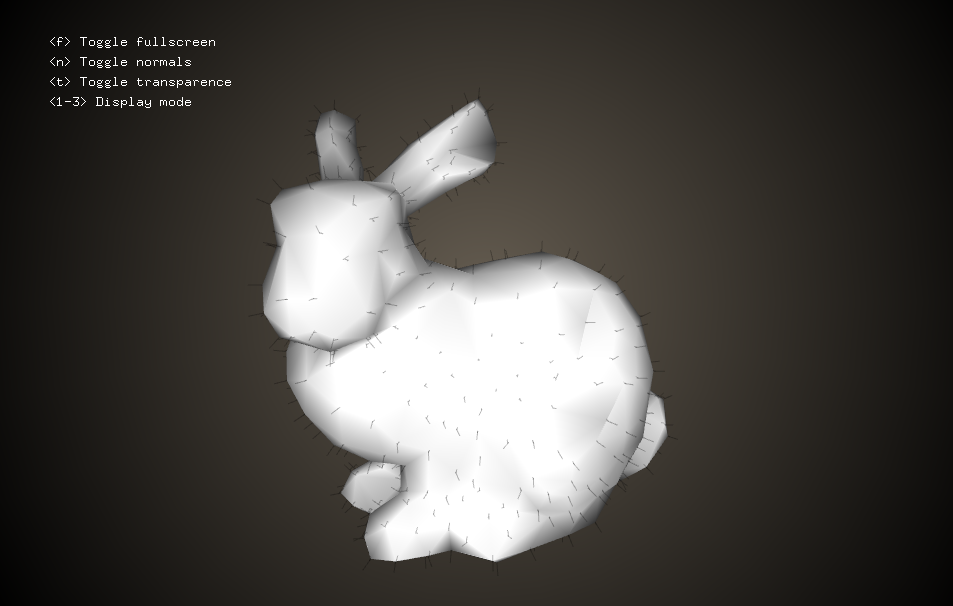
Usage
#include "ofxOpenGP.h"

// 1. Create your Surface_mesh instance
opengp::Surface_mesh mesh;
mesh.load("data/bunny.obj");

// 2. Play with your instance using OpenGP
...

// 3. Convert to ofMesh / ofVboMesh
ofMesh newMesh;
ofxOpenGP::convert(mesh, newMesh);
For a more comprehensive case, look at the two projects in
example-simple/ and example-visualize/.Advanced Usage
ofxOpenGP ships several utility functions to visualize the quality of a mesh.TODO give a list and explain them.
FAQ
Q. My mesh looks ugly with
ofEasyCam, what should I do?A. First, you may want to normalize it using
ofxOpenGP::normalize. This method translates the bounding box center to the origin, and then rescale the mesh to have a maximum width of 1.0f.As such, it will look tiny when using ofMesh because ofEasyCam doesn't expect a 1-box mesh. You can either
- rescale it specifically (see
ofxOpenGP::normalizeandofxOpenGP::rescale), - change your camera settings, or
- automatically scale it using the settings of
ofxOpenGP::convertsuch as in the example:
float scale = 0.5f  std::min(ofGetWidth(), ofGetHeight());
ofxOpenGP::convert(mesh, newMesh, scale);

// or with other settings
ofxOpenGP::Settings settings; // setup
settings << scale;
ofxOpenGP::convert(mesh, newMesh, settings);
Q. My mesh is a polygonal mesh with fancy face valences, what can I do?
A. OpenGP automatically triangulate meshes in the conversion using
Surface_mesh::triangulate if needed. While quad meshes are easy and mostly safe, this may not be the case for general polygons. You may want to take care of the topology yourself beforehand.Q. Can you tell us more about
ofxOpenGP::convert?A. Here it is:
bool ofxOpenGP::convert(opengp::Surface_mesh &mesh,
                        ofMesh &newMesh,
ofxOpenGP::Settings settings);mesh: your surface mesh from OpenGP (notconstas we use triangulate when needed)newMesh: yourofMeshfor an easy display within OpenFrameworkssettings: settings made of- meshType, one of
OFX_AUTO_MESH,OFX_TRIANGLE_MESHandOFX_QUAD_MESH - colorType, one of
OFX_AUTO_COLORS,OFX_VERTEX_COLORS,OFX_FACE_COLORSandOFX_NO_COLORS - meshScaling*, a factor by which to scale the vertex positions (because of
ofEasyCam) - returns
trueif it worked without error,falsein case an error occurred