 ofxAddons

Easily add a openFrameworks user interface elements for your shader uniforms.
Forks
Forks pushed to more recently than whg/ofxUniformGui itself, plus any admin-confirmed fork with commits of its own — worth checking if you're hitting issues with the original.

README
ofxUniformGui
Easily add a user interface elements for your shader uniforms.
Usage
First annotate your uniforms with a default value min and max, like this:
``
glsl uniform float stickyness = 2.1; // 10.0-0.1 uniform float sizeMultiplier = 0.2;// 0.01 - 0.5 uniform vec2 distEdges = vec2(0.1, 0.9); // 0.0 - 1.0 uniform float coeff = 2; // 0.01 - 5 uniform float hole = 2.5; // 0 - 3
Then simply, use ofxUniformGuiShader instead of ofShader for your shaders. That's it, no update()s, no draw()s. Just use load(), begin() and end() on your shader like you usually do.
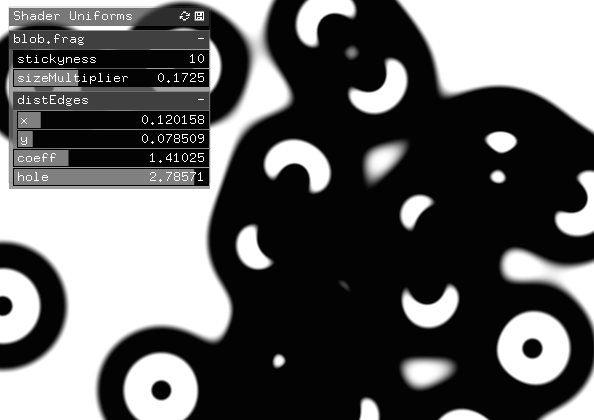 Each shader with GUI uniforms will be displayed in a seperate parameter group, with the shader name as the group name. The visiblity of the GUI can be toggled with the u key by default.
Supported types are
Each shader with GUI uniforms will be displayed in a seperate parameter group, with the shader name as the group name. The visiblity of the GUI can be toggled with the u key by default.
Supported types are float, int, vec2 and vec3.
Customisation
To access the GUI managing object, use the static get function, like:
c++ ofxUniformGui::get()->setVisible(true); ofxUniformGui::get()->setShowKey('s'); ``Platforms
Tested on OSX 10.9, should work on all platforms.