 ofxAddons


Cross-platform C++ toolset for playing high-res and high-fps video content.
Forks
Forks pushed to more recently than vjacob/ofxHPVPlayer itself, plus any admin-confirmed fork with commits of its own — worth checking if you're hitting issues with the original.

README
ofxHPVPlayer
Description
The HPV (High Performance Video) Eco-system is a cross-platform C++ toolset for playing back high resolution and high framerate video content.
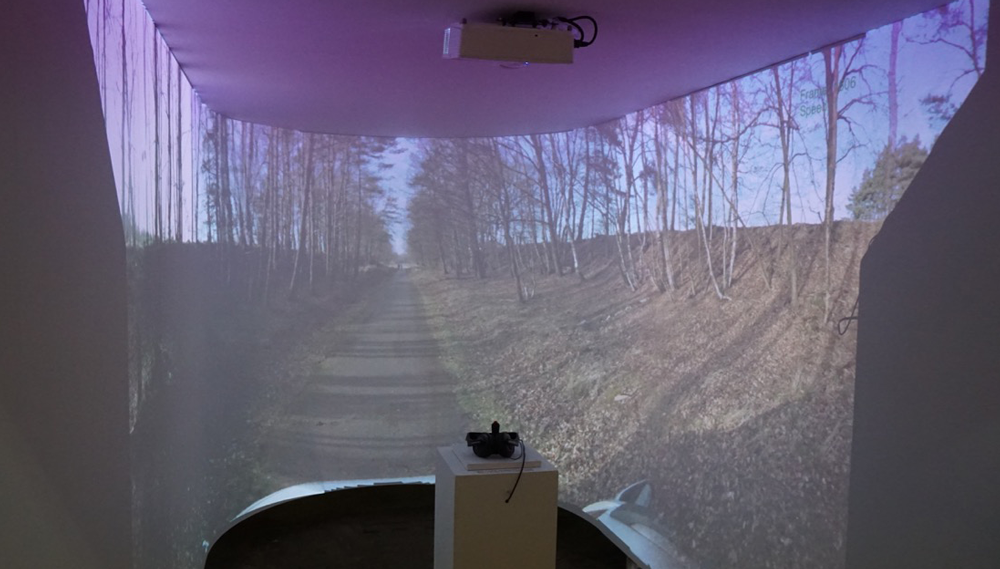
The HPV Eco-system was originally created by the Belgian University of Hasselt/EDM / iMinds in the context of the European funded FP7 programme Dreamspace. Its aim was to build an open and cross-platform toolset for the Unity game-engine giving the ability to realize immersive video installations using multiple calibrated projectors. This project was baptized Holo_ToolSet and contains all the necessary tools to calibrate a multi-projector physical setup, author content for displaying onto this surface and finally render out the mapped content onto the surface, all in Unity. One part of this toolset, the HPV library, aimed at realizing high-res/high-fps videoplayback independant of any platform specific media framework for immersive VR goals. This software, as well as a working Windows 64bit plugin for Windows and example Unity projects, can be found in the original repository of the project Holo_ToolSet.
ofxHPVPlayer is a partial fork of this technology allowing to use and playback HPV encoded video files in openFrameworks. Created HPV files can be played both in Unity and openFrameworks.
Features
- Play
FullHD/4K/8K video filesat high framerates - Max achievable framerate is limited by the performance of your computer (HDD read speed, CPU speed, throughput speed of PCI-Express bus)
Optimized for playing multiple videofiles at the same time.- Allows for
single play, looping and palindrome loopingbehaviour. Fast scrubbingbetween frames, even for 4K+ files.- Supports
blitting(direct CPU texture to GPU texture) anddouble bufferedplayback (on OpenGL, using Pixel Buffer Objects) - Self-contained custom HPV file format with
no dependenciesto platform specific media frameworks. - Frames are compressed using texture compression methods (DXT).
Open source GUI HPV encoderis provided for Windows & Mac - Supported compression types are:
DXT1 (no alpha)- reasonable image quality
DXT5 (alpha)- reasonable image quality + alpha
SCALED DXT5 (CoCg_Y)- good image quality, no alpha
- bigger filesize
- Allows for future extensions: eg. BPTC, ASTC, ....
- The encoder expects an image sequence where each frame is a separate image with a incremental number in the filename.
png, jpeg, jpg, tga, gif, bmp, psd, gif, hdr, pic, ppm, pgm - Frames are then further compressed via LZ4 HQ to get even smaller file sizes.
- Each videoplayer generates
playback state eventsthat can be captured in the openFrameworks application. Render backend agnostic, can be attached to OpenGL or DirectX contextExtensible formatthat can contain multiple texture compression formats. Succesful tests have been made withBPTCandASTCwhich will be available in a future update.- Built-in logging system, able to log to file.
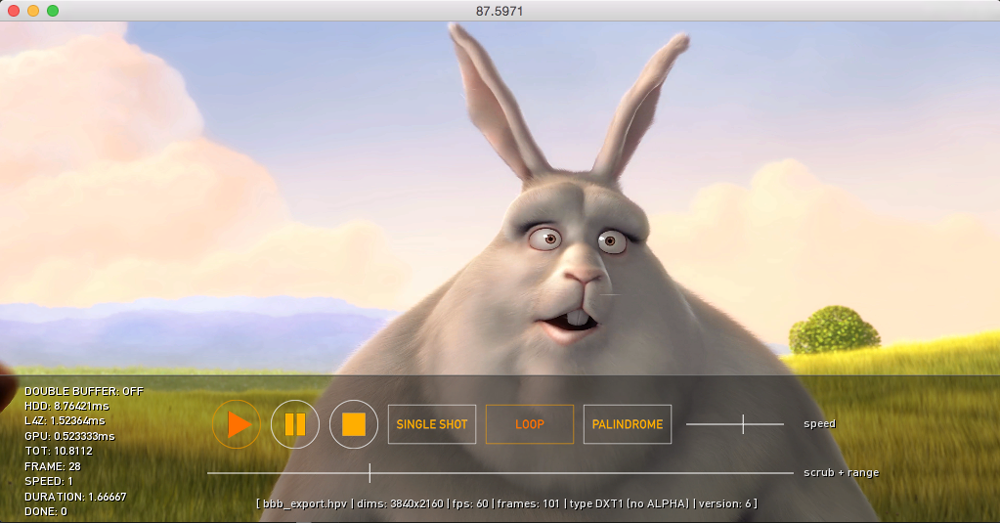
- Built-in timed statistics for HDD read time, LZ4 de-compress time and GPU upload time, to debug playback issues.
Conditions
- OpenGL: needs at least an OpenGL 4.1 context, so our main.cpp file becomes (change width, height and windowMode at will)
C++ include "ofMain.h"
include "ofApp.h"
int main( ) { ofGLWindowSettings settings; settings.width = 1024; settings.height = 512; settings.windowMode = OF_WINDOW; settings.setGLVersion(4, 1); ofCreateWindow(settings); ofRunApp(new ofApp()); } - Doesn't support audio playback (yet). Check the example-slave-to-audio example on how to achieve audio-video sync with the built-in openFrameworks audioplayer.
Getting Started
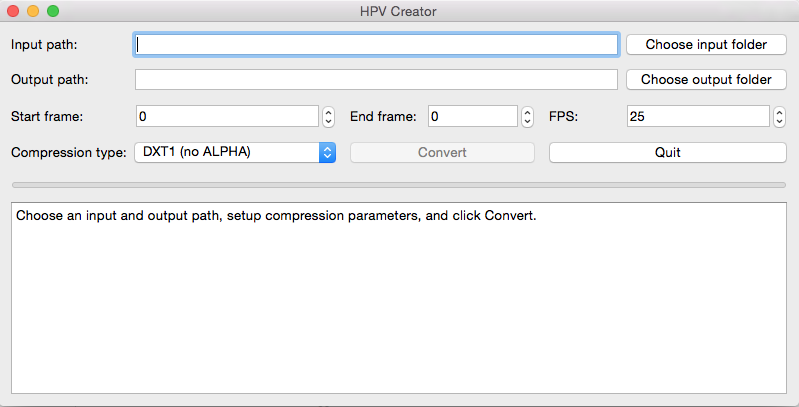
- Creating HPV files with the HPVCreator. There exist a Qt UI version and a console version, both cross-platform. Or download the example HPV files here.
- Generate the example project files using the openFrameworks Project Generator.
- A good place to start is the
example-controls project. Play around with the GUI to discover its functionality.Minimal code that you need to play an HPV file:
C++ //-------------------------------------------------------------- void ofApp::setup() { / Init HPV Engine / HPV::InitHPVEngine(); / Create resources for new player / hpvPlayer.init(HPV::NewPlayer()); / Try to load file and start playback / if (hpvPlayer.load("bbb_export.hpv")) { hpvPlayer.setLoopState(OF_LOOP_NORMAL); hpvPlayer.play(); } / Enable vertical sync, if file has fps > 60, you might have to set to false / ofSetVerticalSync(true); / Alternatively, if you experience playback stutter, try to toggle double-buffering true/false Default: OFF hpvPlayer.setDoubleBuffered(true); / }
//-------------------------------------------------------------- void ofApp::update() { / Update happens on global level for all active players by HPV Manager / HPV::Update(); }
//-------------------------------------------------------------- void ofApp::draw() { / Draw the texture fullscreen / ofBackground(0); hpvPlayer.draw(0,0,ofGetWidth(), ofGetHeight()); }
//-------------------------------------------------------------- void ofApp::exit() { / Cleanup and destroy HPV Engine upon exit */ HPV::DestroyHPVEngine(); } `
Documentation
- Check the examples showcasing different HPV functionalities.
- Pre-compressed HPV video files accompanying the examples can be found here. Download the appropiate HPV file by looking at the examples and put it in the respective bin/data folder
- example-simple: This is a barebones example on how to play an HPV file.
- example-controls: This showcases (almost) all functionality available in the HPV system.
- example-slave-to-audio: Sync a HPV video file to an audio file with exactly the same length.
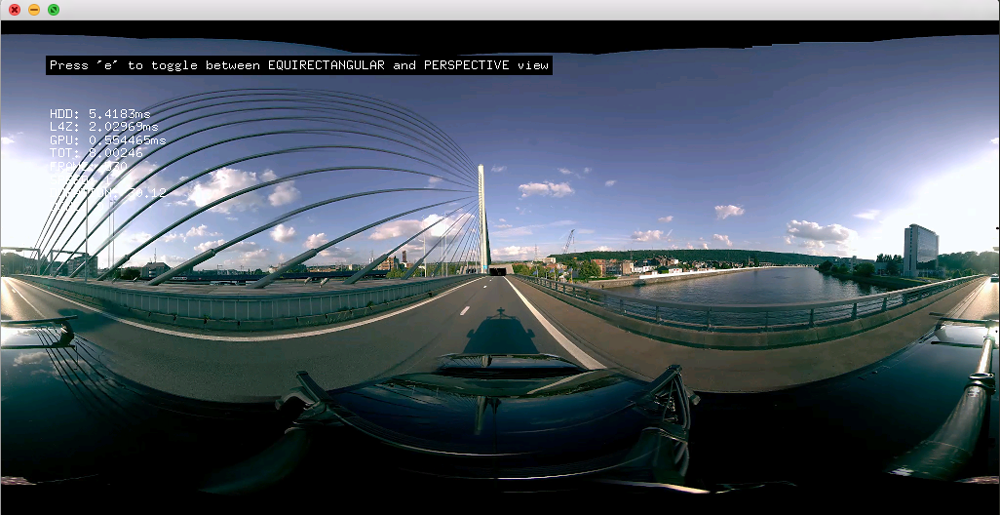
- example-360video: Play high-res 360 VR video content. Switch between equirectangular (latlong) and perspective modes.
- example-sync-multiple-videos: This example syncs 4 FullHD files that were the result of splitting one 4K video file.
Compatibility
- Built and tested with OF 0.9.8
- Tested on Windows 7, 8 and 10.
- Tested on Max OSX 10.12.4 (should work until 10.9)
- Tested on Ubuntu Desktop 16.04
Licensing
See
Included libraries
BSD-2-ClauseThe HPV encoder uses one file of the HAP Encoder, namely YCoCgDXT.cppThe HPV encoder is made with QT5 Open-source framework. Originally inspired on Roxlu's/Lab101 CinderBlock Cinder-DXT Contributing
Pull Requests are welcomed:
1. Fork this repository. 2. Create your feature branch (git checkout -b my-new-feature). 3. Commit your changes (git commit -am 'Add some feature'). 4. Push to the branch (git push origin my-new-feature`). 5. Create new Pull Request.