 ofxAddons

WinAMP Advanced Visualisation Studio in openFrameworks
README
ofxAVS
OpenFrameworks addon for AVS (Advanced Visualization Studio) - bringing Nullsoft's legendary Winamp visualizer to creative coding.
What is AVS?
Advanced Visualization Studio was the iconic music visualization plugin for Winamp, created by Justin Frankel in the late 1990s. It featured modular effect chains, real-time audio reactivity, and a scripting engine that spawned thousands of community-created presets.
This project is a modern C++ port that maintains compatibility with original AVS presets while bringing the visualizer to macOS and creative coding platforms.
Features
- 49 effects ported from the original AVS
- Full preset compatibility - Load original .avs preset files
- Built-in audio management - Microphone input or audio file playback with device selection
- ImGui-based UI - Effect chain editing with parameter controls
- Beat detection - Automatic BPM detection and beat-triggered effects
- Session persistence - Effect chains and audio settings saved/restored between sessions
- Live MIDI input - Connect hardware controllers, filter by channel, debug window
- Auto-resizing output - Renders at native resolution, ideal for fullscreen
- Effect profiling - Press P to show per-effect render times
Screenshots
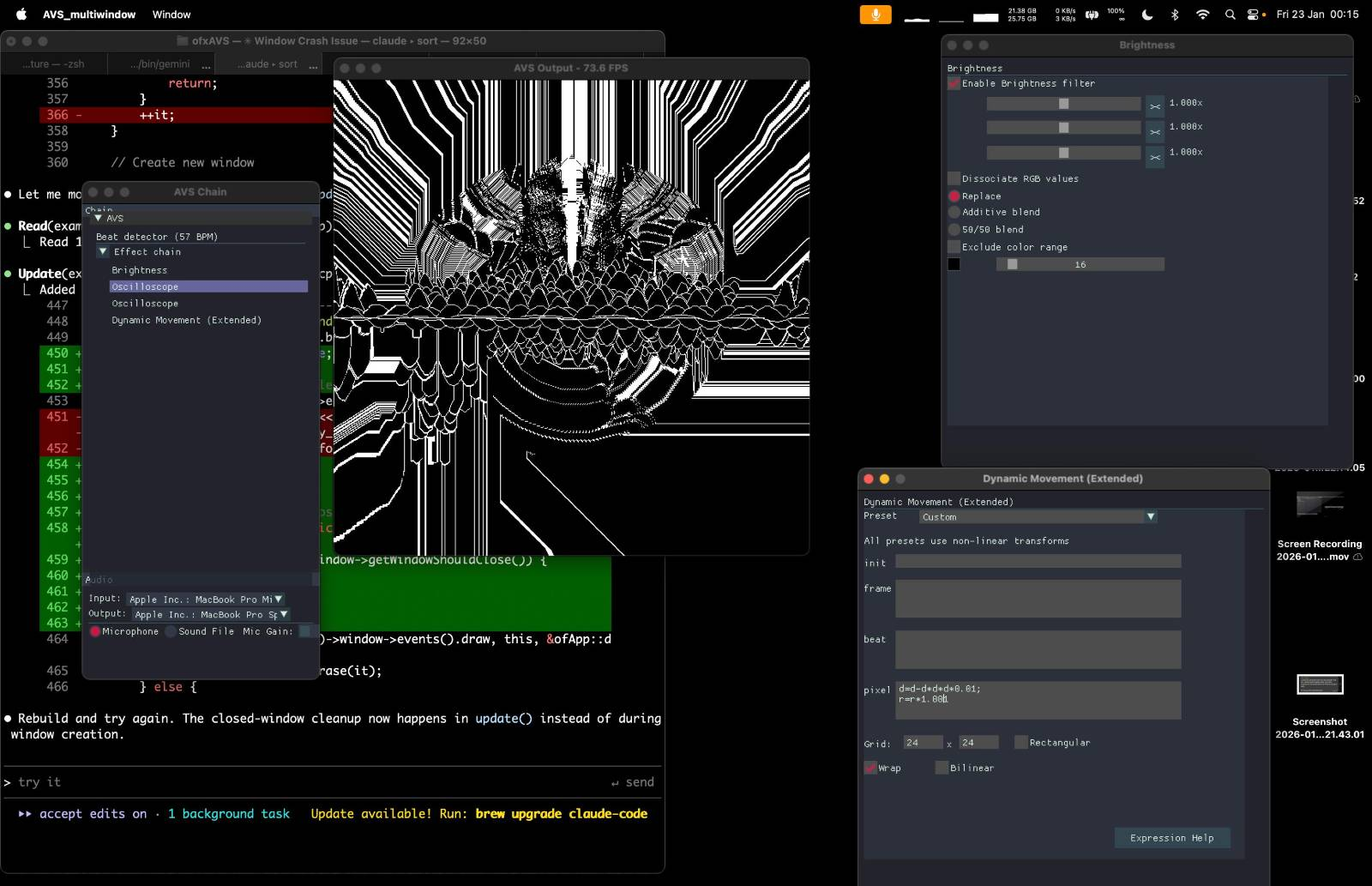
The addon provides a complete visualization environment:
- Effect chain panel with drag-drop reordering
- Parameter controls matching original AVS dialogs
- Audio controls with device selection and file playback
- Auto-resizing output (renders at native resolution)
Example output
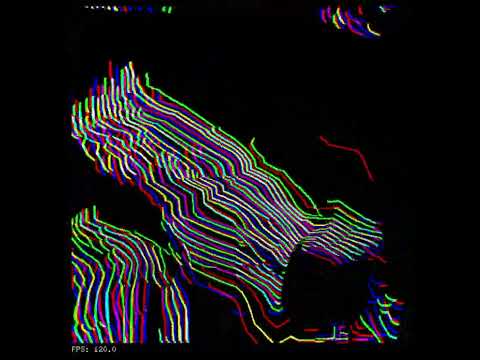
AVS Jams by renderg.host
Quick Start
Prerequisites
- OpenFrameworks 0.12+ (https://github.com/openframeworks/openFrameworks/blob/master/INSTALL_FROM_GITHUB.md)
- C++20 compiler
- Required addons:
- ofxImGui - UI rendering (USE DEVELOP BRANCH)
- ofxFft - FFT audio processing
- ofxMidi - Live MIDI input
Building
# first install openFrameworks and required addons

Set OpenFrameworks path
export OF_ROOT=/path/to/openFrameworks

Clone into addons directory
cd $OF_ROOT/addons
git clone --recursive git@github.com:timredfern/ofxAVS.git

Build the standard example
cd ofxAVS/examples/AVS_standard
make
make RunRelease
or, just install a release (https://github.com/timredfern/ofxAVS/releases)
Usage
#include "ofxAVS.h"
include "ofxImGui.h"

class ofApp : public ofBaseApp {
    ofxAVS avs;
    ofxImGui::Gui gui;

    void setup() {
        gui.setup();
        avs.setup();
        avs.loadAudioSettings();  // Restore saved audio device selection
        avs.setupAudio();         // Initialize audio input/output
    }

    void update() {
        avs.update();
    }

    void draw() {
        avs.draw(0, 0, 600, 600);  // Auto-resizes to fit

        gui.begin();
        avs.drawUI();              // Effect chain + parameter panels
        avs.drawAudioUI();         // Audio/MIDI device selection + file player
        avs.drawMidiDebugWindow(); // MIDI debug log (if enabled)
        gui.end();
    }
};
Project Structure
ofxAVS/
├── src/                    # OpenFrameworks addon layer
│   ├── ofxAVS.cpp/h        # Main addon: rendering, audio, UI
│   ├── AVSui.cpp/h         # ImGui control rendering
│   ├── MidiInput.cpp/h     # Live MIDI input handling
│   └── MidiFile.cpp/h      # MIDI file playback
├── docs/                   # Documentation
│   ├── ARCHITECTURE.md     # ofxAVS architecture
│   ├── BUILD.md            # Build instructions
│   └── FYREWURX.md         # Fyrewurx preset notes
├── libs/avs_lib/           # Portable AVS library (no dependencies)
│   ├── core/               # Renderer, effects, parameters
│   ├── effects/            # 49 effect implementations
│   └── tests/              # Unit tests
├── examples/
│   ├── AVS_standard/       # Single-window example with full UI
│   ├── AVS_multiwindow/    # Separate output window for fullscreen
│   └── AVS_simple/         # Minimal integration example
├── images/                 # Screenshots for documentation
└── scripts/
    └── package-app.sh      # macOS app packaging
Implemented Effects
Rendering
Blur, Brightness, Bump, Channel Shift, Clear, Color Fade, Color Reduction, Fast Brightness, Grain, Invert, Mosaic, Interferences, Interleave, Mirror, Multiplier, Scatter, Shift, Unique ToneTransforms
Dynamic Movement, Movement, RotoblitterVisualization
Dot Fountain, Dot Grid, Dot Plane, Oscilloscope, OscStar, Picture, Ring, RotStar, Starfield, Starfield Extended, SuperScope, Timescope, Moving Particle, WaterContainers
Effect List, Effect List RootTiming
Custom BPM, Fadeout, OnBeat Clear, Set Render ModeTrans
Bass Spin, Blitter Feedback, DDMExamples
AVS_standard
Single-window application with effect chain, parameters panel, and audio controls. Best for most use cases.AVS_multiwindow
Separate output window that can be made fullscreen independently. UI runs in a separate chain window. Renders at native resolution in fullscreen.AVS_simple
Minimal example showing basic integration without UI panels.Building & Packaging
cd examples/AVS_standard

Available targets
make help

Build and run
make Release
./bin/AVS_standard.app/Contents/MacOS/AVS_standard

Package for distribution
make package          # Creates .app and .dmg
make app-info         # Show binary info (arch, min OS)
Architecture
The addon is split into two layers:
avs_lib (
libs/avs_lib/) - Portable C++ library with zero dependencies. Contains the renderer, effect implementations, preset loading, and parameter system. Can be used standalone without OpenFrameworks.ofxAVS (
src/) - OpenFrameworks integration layer. Handles texture rendering, ImGui UI, audio input, and session persistence.See
libs/avs_lib/README.md for detailed library documentation.Credits
- Justin Frankel - Creator of AVS and Winamp
- Nullsoft - Original AVS development and open-source release
- AVS Community - Decades of amazing presets
- Barry Prendergast - Thanks for testing and inspiration
License
MIT License - see LICENSE file
Based on original AVS source code by Nullsoft, Inc. AVS Copyright (C) 2005 Nullsoft, Inc.
Get this addon
Latest release
v1.0.1
published 7mo ago
MIDI input, Audio and beat detection improvements.