 ofxAddons

Intel RealSense SDK 2.0 camera addon for openFrameworks 0.11.x, providing RGB and depth streaming plus point cloud with ofParameter control.
README
RealSense SDK addon for openframeworks 0.11.x
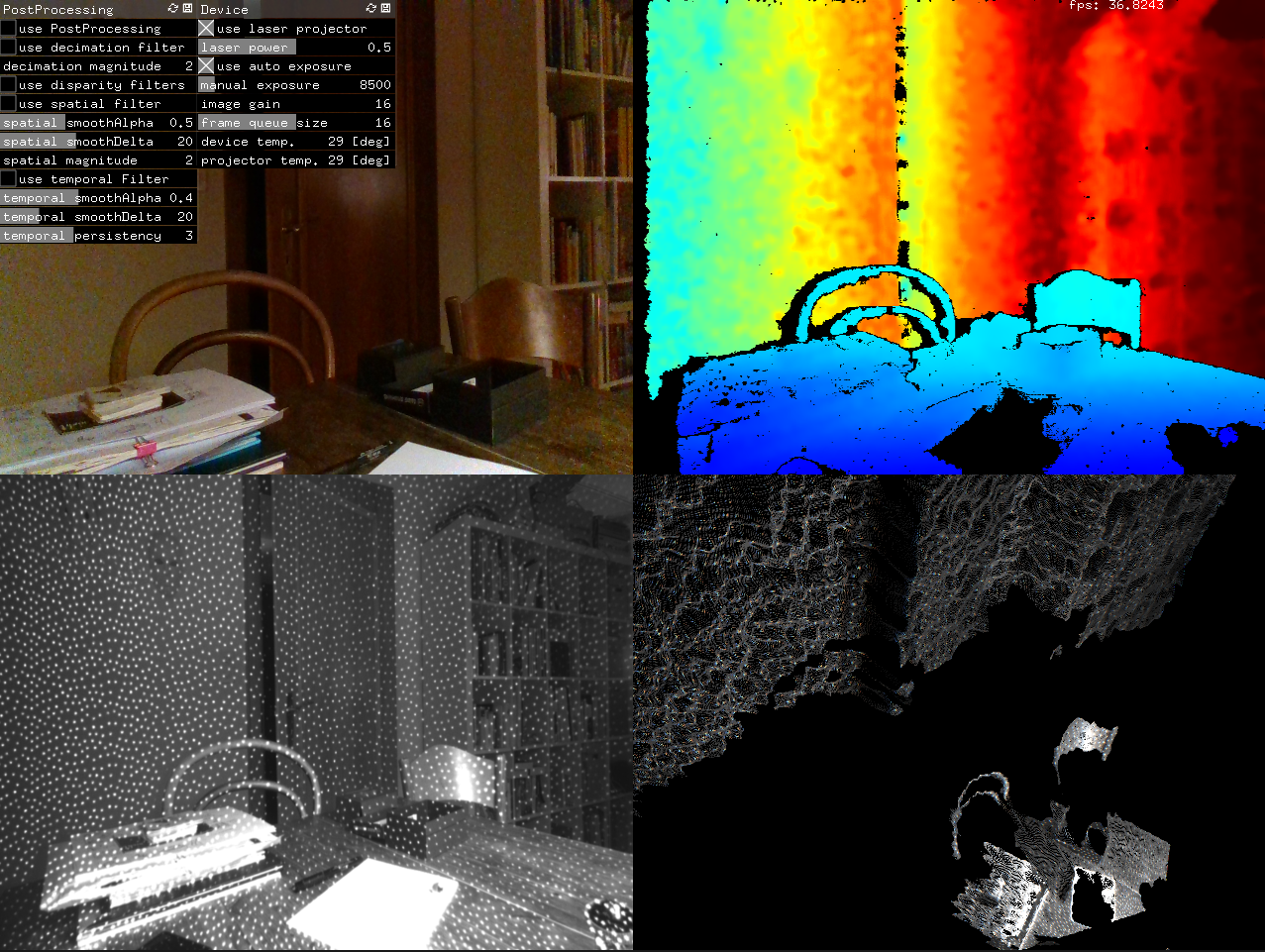
Currently supported: RGB Streaming Depth Streaming (Raw Depth and Depth as Color) Point Cloud
Most important realsense parameters can be controlled with ofParameter, including postprocessing filters.
Cameras
Tested: Intel® RealSense™ Depth Cameras D435
Untested: Intel® RealSense™ Depth Cameras D415 Intel® RealSense™ Depth Modules D400, D410, D420, D430 Intel® RealSense™ Vision Processor D4m Intel® RealSense™ Tracking Module (limited support)
Supported Platforms
Tested: Windows 10 (Build 1803 or later) OSX 10.15.3
Untested: Ubuntu 16.04/18.04 LTS (Linux Kernels 4.4, 4.8 ,4.10, 4.13 and 4.15) Windows 8.1
Dependecies
Openframeworks release 0.11.0.
Windows
Microsoft Visual Studio Community edition 2017 https://visualstudio.microsoft.com/de/downloads/OSX
XCode 11.3For the examples project:
Openframeworks addon ofxGuiInstallation
Clone/unzip this repo into the \<openframeworks>/addons/ folder. BE AWARE: This repo is using LFS for its binary libraries..
Instructions
Use project generator to create the Visual Studio and XCode project files by pressing 'import' and navigate to this addons example folder. press 'update'.
Windows exe
1. open Visual Studio project. 2. copy /libs/IntelRealSense_2.xx.x/lib/vs/x64/Intel.Realsense.dll /libs/IntelRealSense_2.xx.x/lib/vs/x64/realsense2.dll
- /libs/IntelRealSense_2.xx.x/lib/vs/x64/realsense2.lib
3. choose solution platform x64 and build the app. (only libraries for x64 are provided with this ofx)
OSX app
1. open XCode project. 2. If you desire the create a standalone app you have to make the following changes to the XCode project: 1. select the project inside the project navigator 2. select tab Build Phases 3. press + and select 'New Run script phase' 4. copy paste the following code:
   cp -r $OF_PATH/addons/ofxRealSenseTwo/libs/IntelRealSense_2.33.1/lib/osx/ $TARGET_BUILD_DIR/$PRODUCT_NAME.app/Contents/MacOS/
cd $TARGET_BUILD_DIR/$PRODUCT_NAME.app/Contents/MacOS/
install_name_tool -change @rpath/librealsense2.2.33.dylib @executable_path/librealsense2.2.33.dylib $PRODUCT_NAME
credits
Martin Froehlich
this addon is loosely based on https://github.com/SethGibson/ofxRSSDK, however it has been heavily altered on order to make it compatible with the current RSSDK.
contains the relevant libraries/includes from Intel® RealSense™ SDK 2.0 (build 2.33.1) https://github.com/IntelRealSense/librealsense