 ofxAddons


darknet neural network addon for openFrameworks
Forks
Forks pushed to more recently than schwittlick/ofxDarknet itself, plus any admin-confirmed fork with commits of its own — worth checking if you're hitting issues with the original.


Branches ahead of master
These branches have commits not yet on master — could be unmerged fixes or work in progress worth a look.
README
ofxDarknet
ofxDarknet is a openFrameworks wrapper for darknet.
Darknet is an open source neural network framework written in C and CUDA. It is fast, easy to install, and supports CPU and GPU computation. http://pjreddie.com/darknet/
Features
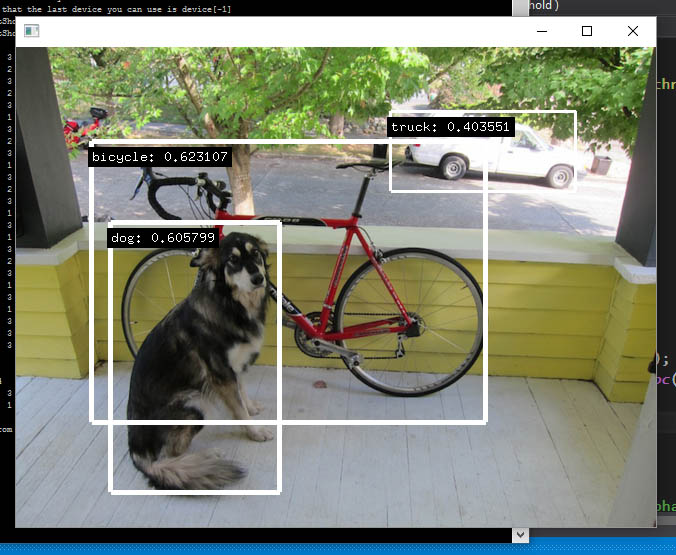
YOLO: Real-Time Object Detection (http://pjreddie.com/darknet/yolo/)
Darknet comes with two pre-trained models for this task. Additionally each has a smaller (and faster) but therefore less accurate version:
MS COCO dataset (80 different classes) yolo.cfg & yolo.weights (256 MB COCO-model) tiny-yolo.cfg & tiny-yolo.weights (60 MB COCO-model)
	std::string cfgfile = ofToDataPath( "cfg/tiny-yolo.cfg" );
	std::string weightfile = ofToDataPath( "tiny-yolo.weights" );
	std::string nameslist = ofToDataPath( "cfg/names.list" );
	darknet.init( cfgfile, weightfile, nameslist );
Pascal VOC dataset (20 different classes) yolo-voc.cfg & yolo-voc.weights (256 MB VOC-model) tiny-yolo-voc.cfg & tiny-yolo-voc.weights (60 MB VOC-model)
	std::string cfgfile = ofToDataPath( "cfg/tiny-yolo-voc.cfg" );
	std::string weightfile = ofToDataPath( "tiny-yolo-voc.weights" );
	std::string nameslist = ofToDataPath( "cfg/voc.names" );
	darknet.init( cfgfile, weightfile, nameslist );
YOLO2 with 9000 classes
yolo9000.cfg & yolo9000.weights (190MB COCO-model)
	std::string datacfg = ofToDataPath( "cfg/combine9k.data" );
	std::string cfgfile = ofToDataPath( "cfg/yolo9000.cfg" );
	std::string weightfile = ofToDataPath( "yolo9000.weights" );
	darknet.init( cfgfile, weightfile, datacfg );
float thresh = 0.25;
std::vector< detected_object > detections = darknet.yolo( image.getPixelsRef(), thresh );
for( detected_object d : detections )
{
ofSetColor( d.color );
glLineWidth( ofMap( d.probability, 0, 1, 0, 8 ) );
ofNoFill();
ofDrawRectangle( d.rect );
ofDrawBitmapStringHighlight( d.label + ": " + ofToString(d.probability), d.rect.x, d.rect.y + 20 );
}
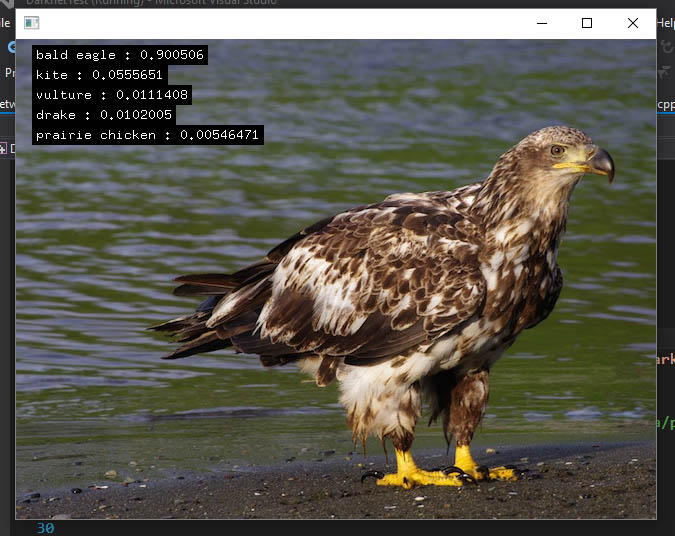
Imagenet Classification (http://pjreddie.com/darknet/imagenet/)
In order to classify an image with more classes, this is the spot. This classifies an image according to the 1000-class ImageNet Challenge.
AlexNet cfg: alexnet.cfg weights: alexnet.weights Darknet Reference cfg: darknet.cfg weights: darknet.cfg VGG-16 cfg: vgg-16.cfg weights: vgg-16.weights Extraction cfg: extraction.cfg weights: extraction.weights Darknet19 cfg: darknet16.cfg weights: darknet19.weights Darknet19 448x448 cfg: darknet19_488.cfg weights: darknet19_488.weights
	std::string cfgfile = ofToDataPath( "cfg/darknet.cfg" );
	std::string weightfile = ofToDataPath( "darknet.weights" );
	std::string nameslist = ofToDataPath( "cfg/imagenet.shortnames.list" );
	darknet.init( cfgfile, weightfile, nameslist );

	classifications = darknet.classify( image.getPixelsRef() );
	int offset = 20;
	for( classification c : classifications )
	{
		std::stringstream ss;
		ss << c.label << " : " << ofToString( c.probability );
		ofDrawBitmapStringHighlight( ss.str(), 20, offset );
		offset += 20;
	}
Deep Dream (http://pjreddie.com/darknet/nightmare/)
vgg-conv.cfg & vgg-conv.weights
	std::string cfgfile = ofToDataPath( "cfg/vgg-conv.cfg" );
	std::string weightfile = ofToDataPath( "vgg-conv.weights" );
	darknet.init( cfgfile, weightfile );

	int max_layer = 13;
	int range = 3;
	int norm = 1;
	int rounds = 4;
	int iters = 20;
	int octaves = 4;
	float rate = 0.01;
	float thresh = 1.0;
	nightmare = darknet.nightmate( image.getPixelsRef(), max_layer, range, norm, rounds, iters, octaves, rate, thresh );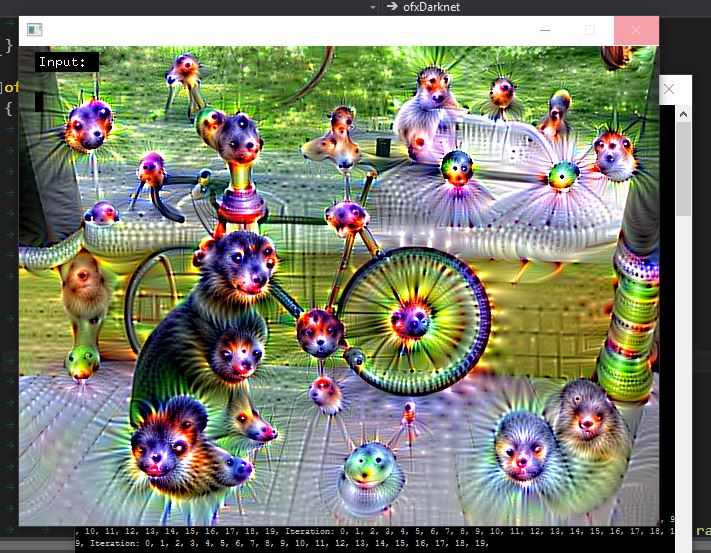
Recurrent Neural Network (http://pjreddie.com/darknet/rnns-in-darknet/)
Darknet pre-trained weights files: Shakespeare George R.R. Martin Leo Tolstoy Immanuel Kant
ofxDarknet custom pre-trained weight files (each trained for 20h on NVidia TitanX): Anonymous - Hypersphere Hypersphere, written by Anonymous with the help of the 4chan board /lit/ (of The Legacy of Totalitarianism in a Tundra fame) is an epic tale spanning over 700 pages. A postmodern collaborative writing effort containing Slavoj Žižek erotica, top secret Donald Trump emails, poetry, repair instructions for future cars, a history of bottles in the Ottoman empire; actually, it contains everything since it takes place in the Hypersphere, and the Hypersphere is a big place; really big in fact. Books on art history & aesthetics Books on digital culture
	std::string cfgfile = ofToDataPath( "cfg/rnn.cfg" );
	std::string weightfile = ofToDataPath( "shakespeare.weights" );
	darknet.init( cfgfile, weightfile );

	int character_count = 100;
	float temperature = 0.8;
	std::string seed_text = "openframeworks is ";
	std::string generated_text = darknet.rnn( character_count, seed_text, temperature );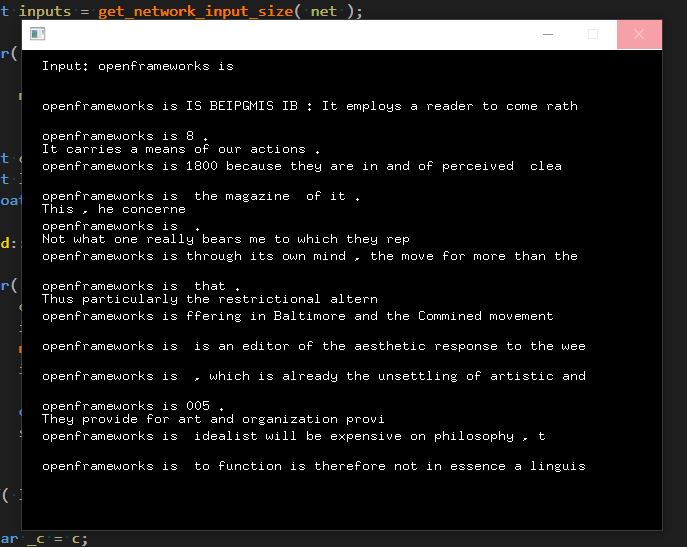
You can train your own RNN models with darknet
	// no need to init
	darknet.train_rnn( ofToDataPath( "training_text.txt" ), "cfg/rnn.cfg" );
Go
Darknet has a policy network for Go. Read the original doc here.
In the example
example-go is a 2-player game where darknet gives recommendations. To play, click on the square you wish to move a piece onto. More doc on this soon.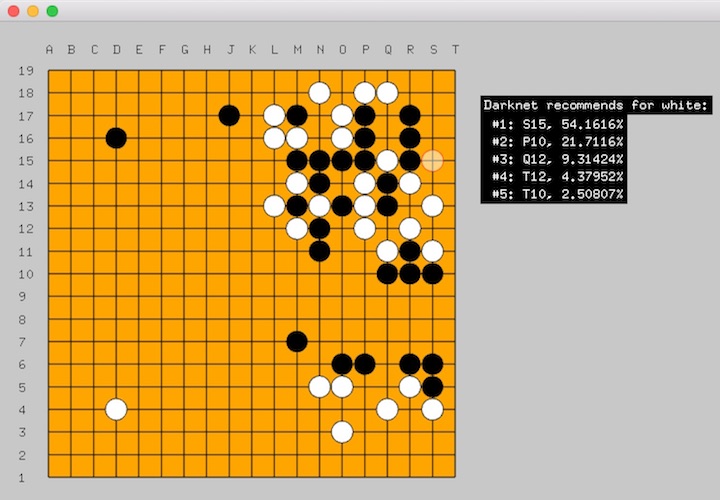
Setup
Windows
Install the dependencies for building darknet on Windows 10: Visual Studio 2015 (Community) CUDA 8.0 64bit
There are some more necessary steps that don't work with the OF project generator:
Compile as Debug or Release in x64 mode Within VS2015 Solution Explorer, rightclick on the generated project -> Build Dependencies -> Build Customizations -> Tick CUDA 8.0 Copy pthreadVC2.dll from ofxDarknet\libs\3rdparty\dll\x64 to your applications bin folder
OSX
First make sure to install CUDA 8.0 64bit (Driver & Toolkit). CUDA requires an NVIDIA graphics card and a reasonably recent Mac OS.
After that, projects should compile fine from the Project Generator. Make sure to download the necessary weights (links can be found here and include the required cfg files (found in the examples) in any app that opens them.
Building the library from source
If you want to make changes to the darknet lib, you can build it from source with cmake.
cd into libs/darknet/cMake/ and then run:cmake . make
Note, you need to have CUDA and OpenCV installed on your system first.
Training your own models
YOLO
tcb
Credits
Original Code: https://github.com/pjreddie/darknet Help to compile on Windows: https://github.com/AlexeyAB/darknet/ Help to call from C++: https://github.com/prabindh/darknet
Reading
- tutorial on training YoloV2 to detect custom objects