ofxAddons

openFrameworks addon for using Apple's Vision Framework
README
ofxVision
openFrameworks addon for using Apple's Vision Framework.
Inspired and adapted from VisionOSC
Requirements
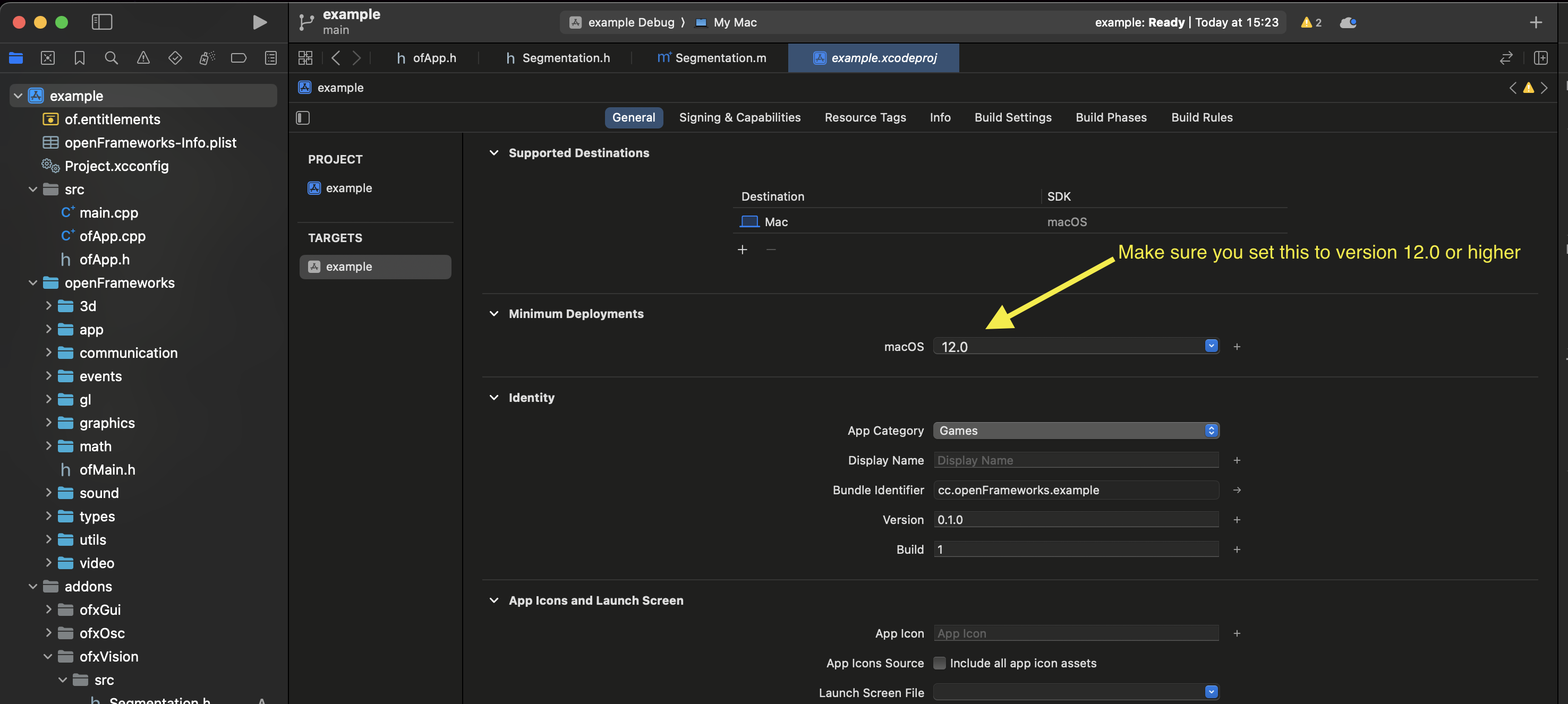
openFrameworks v0.12.0 or newer. macOS 12+.
How to Use
Just use with openFrameworks project generator to add to your project. Check the example on how to use.
Object detection
To use the object detection you need to download or train a model. you can try with the models in the YOLO section at https://developer.apple.com/machine-learning/models/Using Ultralytics' YOLO11
In order to use Ultralytics YOLO11 you need to transform their yolo models into a CoreML model. The instructions they provide here need to add a few parameters in order to export correctly. Use the following python script instead of the one they provide
Save the folowing as a .py file.
from ultralytics import YOLO
model = YOLO("yolo11n.pt", task="detect")
model.export(format="coreml", int8=True, nms=True, imgsz=[640], data="coco.yaml")coco.yaml is found here
Yolo models that need to be exported to CoreML are found here
If you train your own yolo with your own data set you need to point to the correct data yaml file and .pt files.
Using DepthAnything
You can use DepthAnything which you can download from hereTry the example-depth-anything and select the downloaded model when the dialog shows.
Important
Make sure that Xcode's Minimum Deployment Target it set to macos 12.0 or higher