 ofxAddons

Glitch Shader In Openframeworks
Forks
Forks pushed to more recently than pierrextardif/ofxShaderGlitch itself, plus any admin-confirmed fork with commits of its own — worth checking if you're hitting issues with the original.

README
ofxShaderGltich
Glitch Shader generator In Openframeworks.</br> The goal is to easily create glitch effects in OF // use this as a starting point to customise glitch effects. It uses a set of masks, and image processing effects to create glitchy effects. </br> The result is a mix of effects applied to an image / Fbo, which is my take on how to create glitchy effects for real time use. </br>
- - - -
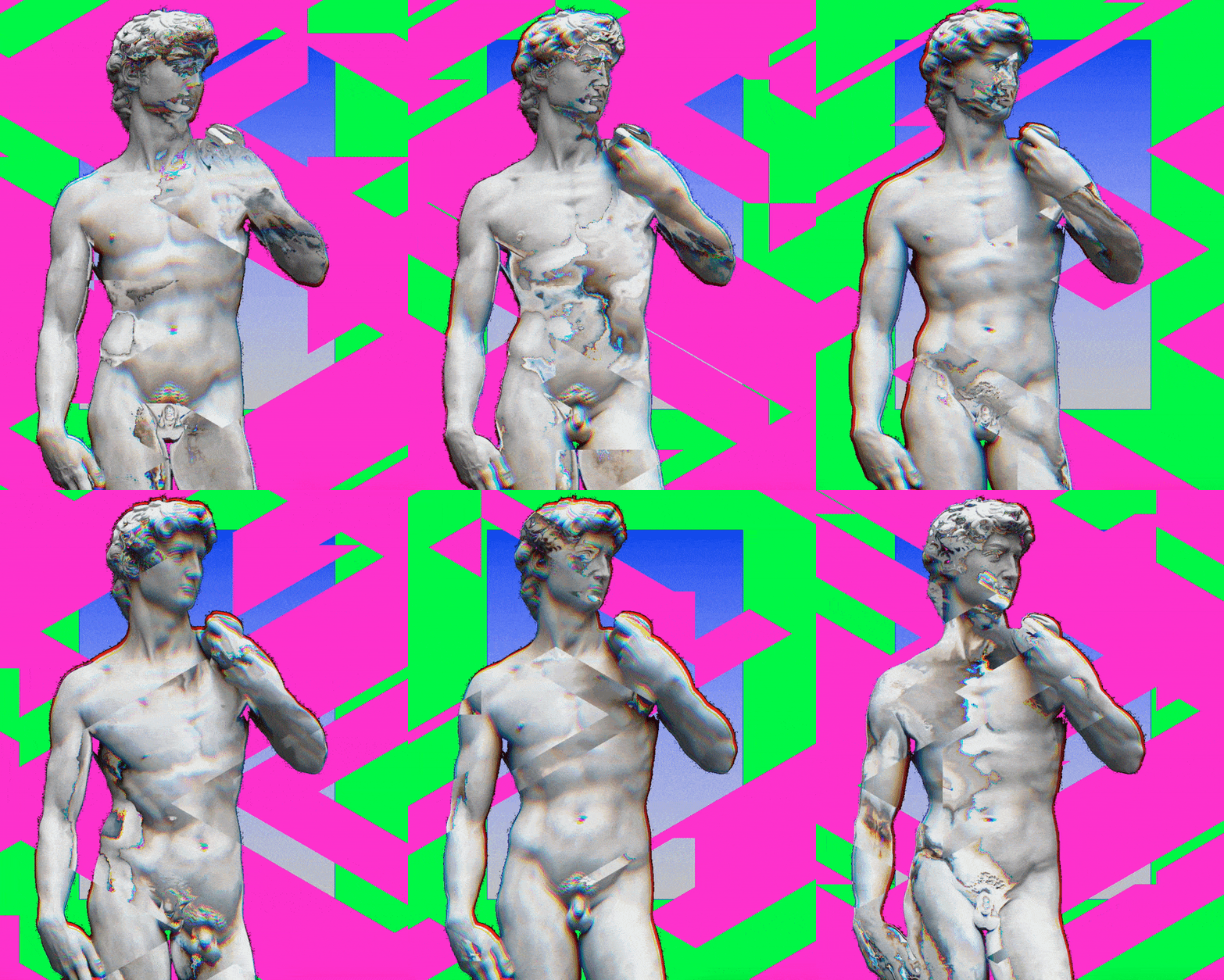
- - - -
Getting Started
Installs
1)Installing OpenFrameworks
Get the latest OpenFrameworks version from here(0.11.0). </br>
2) Installing
Add this repository to your addons folder, or to the local_addons folder. </br> If using the local_addons folder, make sure the pre processing
#define LOCALADDON is present in the constants.h and in main.frag. </br> If using the addons folder, make sure the pre processing #define LOCALADDON is commented in the constants.h and in main.frag.</br> The only dependecy is ofxAutoReloadedShader from Andreas Muller, used to reload shader on the fly to help compiling only shaders. </br>
</br> The addon works by treating the texture the way OF does it : rectangular textures processed from 0 -> size of the texture in OF, rather than normalised textures coordinates. </br>
Example
Just try running the example.
Press
g to show/hidde the gui. Press i to change the type of input - webcam or image. There is 2 main sections in the gui : Type of Tyling and Type of Effect.Effects
The glitches are created with 2 sections : tiling and effects. The tiling create patterns on which to apply the effects.There is 10 tiles and 10 effects.
Tiling :
1 - > 4 : divisions on screen controlled by the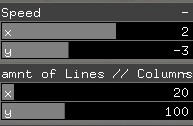 .</br> 4 : sections are controlled by the
 Cell -> offset x//y : 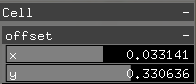 </br> 5 - > 9 : patterns generation - parameters to control are :
 Mask Layers for tyling 5, thresholdNoise for tyling 6, continuous for 7->9.</br> Speed.y is controlling the speed of the effects for tyling 5 -> 9.</br> RectangleSize controls the gradiant rect boundaries, and gradiantColor controls its color.</br>10 : makes the effect apply to the whole screen. </br> Tyling is processed in the main.frag by setting up the
prop variable.Effects :
0 : glitch</br> 1 : texture Shift - works best withj tyling 7.</br> 2 : texture shift prop - shift on texture proportional to prop. Works best with tyling 8.</br> 3 : lateral shift : shift the texture horizontally following theamnt of lines // columns, to change the direction to horizontal, change the last argument of lateralSlider to true. </br> 4 : shift with noise per cell direction change controlled by continuous. 5 & 6 : grad center + inner flip coords - rect boundaries are controlled by the rectangle size, and the amount of sections by amnt of lines // columns. The functions texFlipV in main.frag are used here, with the last 2 arguments adding a flip on the section coordinate, and a gradiant on the rectangle ( in this case true and true, therefore grad + flip is processed on the image).</br>7 : bright lines sections of lines of different colors. the first argument gives the direction of the lines - in this case y -. The parameter
continuous de activates the thresholding on gb, if ON, which makes it go less flashy. The Mask Layers control the amount of colors layers added. Works best with 2 layers. </br> 8 : background color // invert background color - outside pattern detection. </br> 9 : gradiant color controlled by rectangle size and gradiant color, and alphaGradiant.</br> 10 : gradiant color + invert same as above with inverted color for inner rectangle section. </br></br>
- - - -
Feedback is used to create a feedback on the edges used in the edge detection: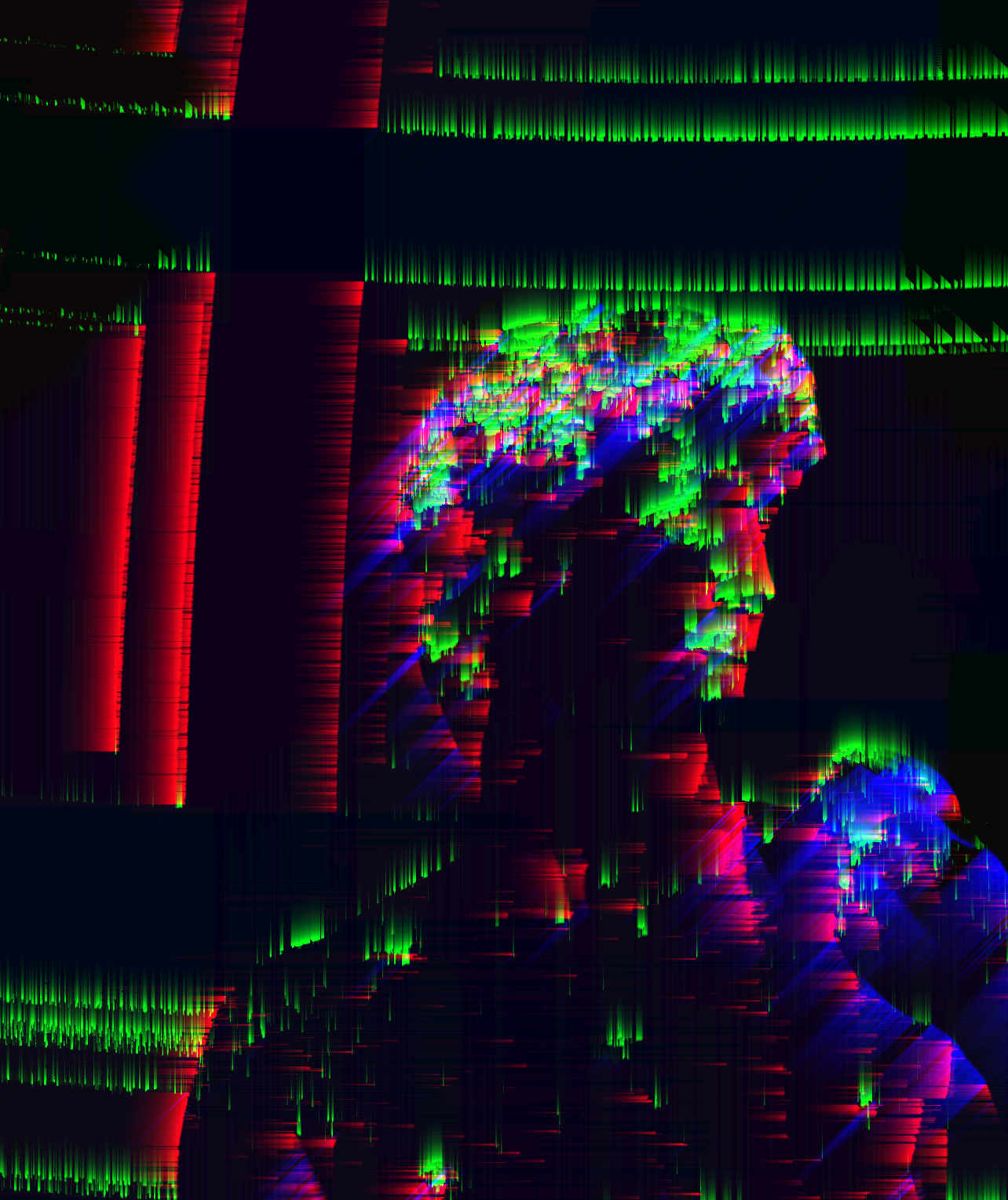 </br> This technic uses the strength and angle from the Cannny Edge detection seperatly implemented here, and returns an intensity of the edges which is processed in a feedback shader to get a trailing effect. works best with the webcam. The feedback turns the effects and tilying to -1, as to not interfer with the rest of the shader. There is also an Edge detection function (not used) which works with key
 c to control the non Maximum of the edge detection and continuity of the pixels value when in between threshold values by checking the neighboors values, when the nonMaxAndContinuity is turned ON ( initialised OFF).Author
_pierre Tardif_ codingcoolsh.it :floppy_disk:
License
This project is licensed under the MIT License - see the LICENSE.md file for details.
Acknowledgments
Three.js inspiration