 ofxAddons

openFrameworks addon adapting the rpi-rgb-led-matrix library to drive an Adafruit LED matrix on a Raspberry Pi 3, with example.
README
ofxLEDMatrix
Repository to adapt this library into Openframeworks. </br> The goal is to use the Adafruit Leds Matrix & bonnet with Openframeworks on raspberry-Pi 3 model B+. </br>
- - - -
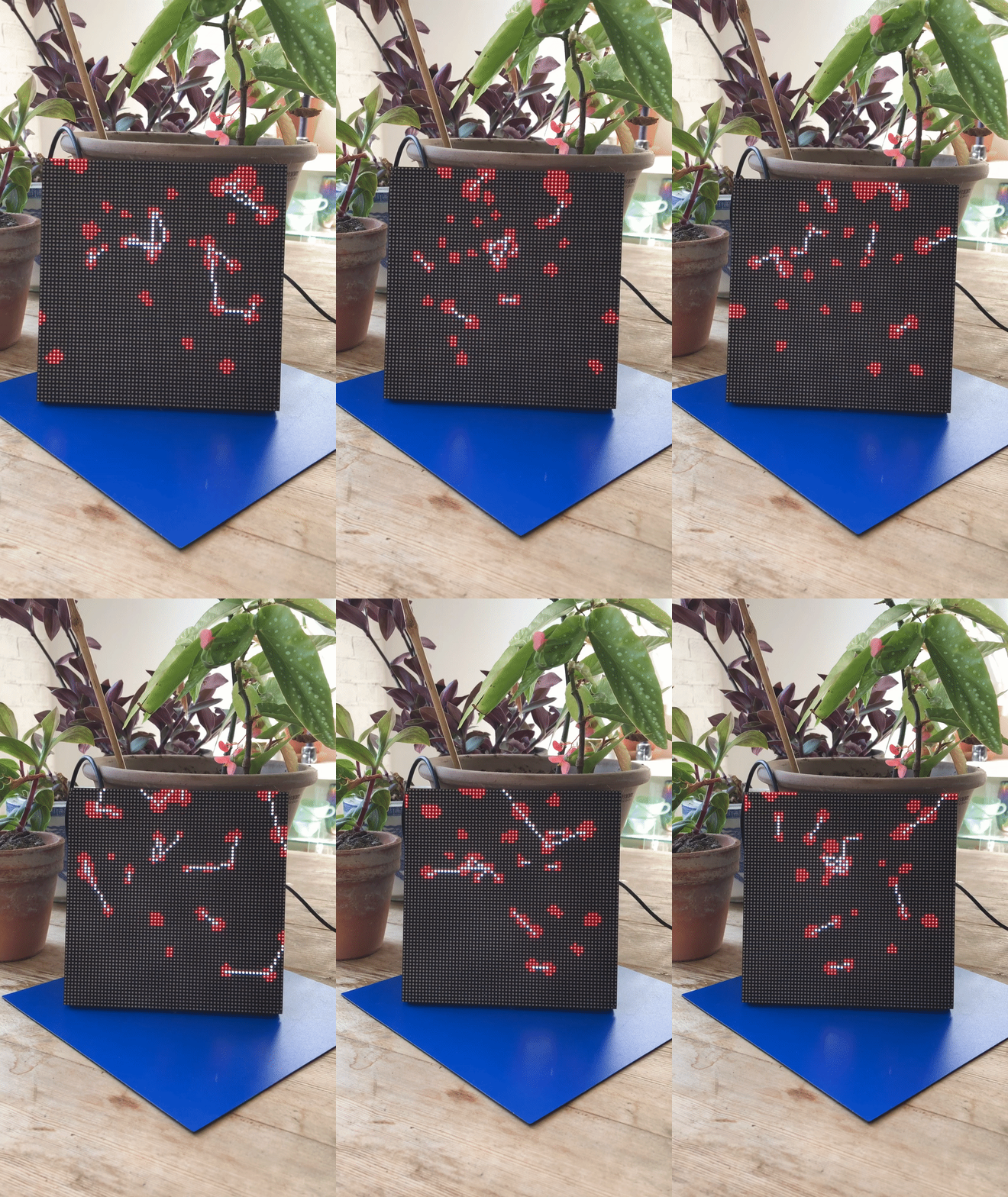
- - - -
Getting Started
List of Material
| item | link |
|---|---|
| Raspberry pi 3 model B+ | https://www.raspberrypi.org/products/raspberry-pi-3-model-b-plus/ |
| Matrix Bonnet | https://www.adafruit.com/product/3211 |
| Matrix of Leds | https://www.adafruit.com/product/3649 |
| SDCard | amazon link |
| Power Supply | https://www.adafruit.com/product/1466 |
Installs
1)Installing OpenFrameworks
Get the latest OpenFrameworks version from here(linux armV6), and follow this tutorial to get set up with the openframeworks on raspberry Pi. </br> Make sure you can run some of the examples before proceeding any further (for example : OF_Install_Directory/examples/3DPrimitivesExample/).
2) Installing
Get the latest version of the rpi-rgb-led-matrix from here. </br> Follow the tutorial on the readme page from the Let's do it section. </br> Make sure you can run a demo from the example-api-use section. </br> Just
cd example-api-use
make
sudo ./demo
Make a note of the path to the root directory of the rpi-rgb-led-matrix :
#from the root directory of the rpi-rgb-led-matrix repo :
pwd
gives me : /home/pi/rpi-rgb-led-matrix-master
copy into the clipboard:
install xclip : sudo apt-get install xclip
pwd | xclip -i
3) Addon
Add this repository to your Openframeworks addon folder in :
cd OF_Install_Directory/addons/
git clone https://github.com/pierrextardif/ofxLedMatrix
cd ofxLEDMatrix/
sudo nano addon_config.mk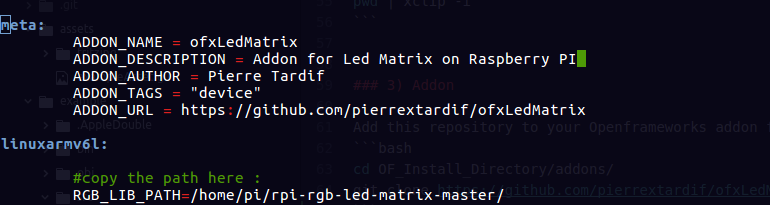 RGB_LIB_PATH with the path copied.
Example
Just try running the example.
Testing on other machine
Try copying the example on an other (more powerful) machine and running it, transforming the line :
//#define COMPUTERWORK#define COMPUTERWORKUse the Lis3dh
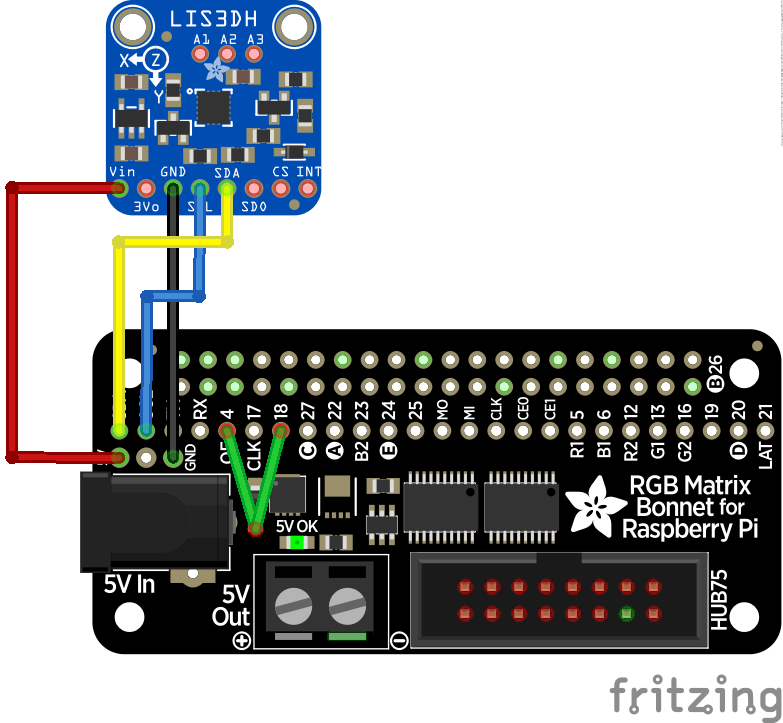
The example given by adafruit includes an accelerometer. </br> In order to use it I have included the code they have used in their example and mapped it to the movements of the ofEasyCam for zooming in/out.
Wiring
You can wire the acelerometer using this diagram :
Author
_pierre Tardif_ codingcoolsh.it :floppy_disk:
License
This project is licensed under the MIT License - see the LICENSE.md file for details.
Acknowledgments
Adafruit Tutorial
Next
</br> Adding the libray precompiled straight into the/lib folder of the repo (no external install).