 ofxAddons


Unlocking the GPU Power on openFrameworks with this add-on for that make easy to use GLSL Shaders
Forks
Forks pushed to more recently than patriciogonzalezvivo/ofxFX itself, plus any admin-confirmed fork with commits of its own — worth checking if you're hitting issues with the original.


README

I start this addon while I was working on Efecto Mariposa. Is the result of adapting different well know algorithms to GLSL Shaders for openFrameworks.
An important feature of ofxFX is it ability for fast-prototyping mixing different classes using the
<< operator.ofxFX was originally develop for GLSL 120 but now is been edited to support openGL ES and openGL 2.0 thanks to the new programable render of openFrameworks. Oliver is giving me a hand with that. Anybody else that want to collaborate is wellcome.
ofxFXObject
It´s the parent class of all the other effect. If you want to make a new filter you may want to start looking at the ofxFXObject.h .The structure it´s easy.
1. Constructor: here it´s necessary to set three vital variables:
- ``
int passes`: the number of passes or itineration of the main ping pong betweens FBO´s - `
int internalFormat`: if it use GL_RGB, GL_RGBA, GL_RGB16f, GL_RGBA16f, GL_RGB32f, GL_RGBA32f, etc... - `
string fragShader`: it´s the code of the shader. Note that some changes have to be made in order to fill everything on a string
allocate(width,height,GL_RGBA)`: This usually it´s no need to be re-define. It´s basically allocate the FBO´s and loads the shader by using injectShader();
3. `setCode(string fragContent)`: here is where the shaders are loaded. See the example below.
4. `begin(int texN)` and `end(int texN)`: remember nTextures variable? you can passthrough information to it by using this end() and begin() and giving the argument the number of texture you want to open. This texture can be access from the shader by the `uniform sample2DRect tex0` or `tex1` or `tex2` and so on.
4.1. `<<` and `setTexture(texture-like, num=0)` if you have an FBO, a texture, an ofxFXObject, or something similar, you can use this function to write it to `tex0`, `tex1`, etc (as indicated by the num argument). `<<` always writes to `tex0`.
4.2. If you're making a multi-pass shader, you can access to the previously rendered frame with `uniform sample2DRect backbuffer` in your shader. This will also contain the information from `tex0` on the first pass.
5. `update()`: This is the core of the class, where the magic happens. If you check for the `ofxFXObject::update()` you will see how the tex's, the backbuffer and other default uniforms variables (time, mouse, resolution) are loaded. NOTE: If you are using the `<<` operator you don't need to update. It's done automatically for you
6. `draw(x,y,w,h)``: After all you definitely want to look at it.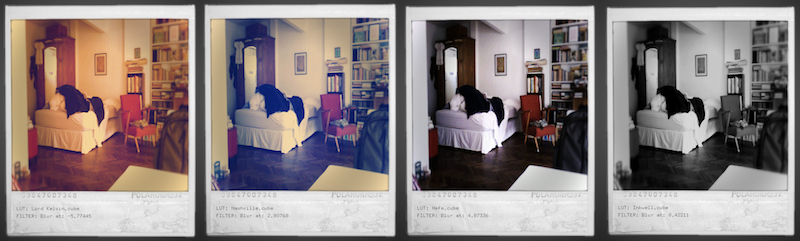
Mix them all
ofxFXObject have some handy operators that let you combine them really easily. At the Mix´s Example you will find how to do it. Basicaly it´s somethin like this
~~~
ofxFXObject objA; ofxGrayScott objB; ofxBlur blur;
objA.allocate(width, height); objB.allocate(width, height); blur.allocate(width, height);
...
blur << (objB << objA);
...
blur.draw();
~~~
<iframe src="http://player.vimeo.com/video/35230297" width="575" height="453" frameborder="0" webkitAllowFullScreen mozallowfullscreen allowFullScreen></iframe> <iframe src="http://player.vimeo.com/video/34304485" width="575" height="431" frameborder="0" webkitAllowFullScreen mozallowfullscreen allowFullScreen></iframe> <iframe src="http://player.vimeo.com/video/30684308" width="575" height="429" frameborder="0" webkitAllowFullScreen mozallowfullscreen allowFullScreen></iframe> <iframe src="http://player.vimeo.com/video/29887776" width="575" height="431" frameborder="0" webkitAllowFullScreen mozallowfullscreen allowFullScreen></iframe> <iframe src="http://player.vimeo.com/video/29896245" width="575" height="431" frameborder="0" webkitAllowFullScreen mozallowfullscreen allowFullScreen></iframe> <iframe src="http://player.vimeo.com/video/29894099" width="575" height="431" frameborder="0" webkitAllowFullScreen mozallowfullscreen allowFullScreen></iframe>