 ofxAddons


States Machine / Mood-Machine to walk'n'randomize around some Moods and States.
README
Overview
An openFrameworks add-on that works as my personal MOOD-MACHINE.
WALK'n'RANDOMIZE around some MOODS and associated STATES.
HIERARCHY
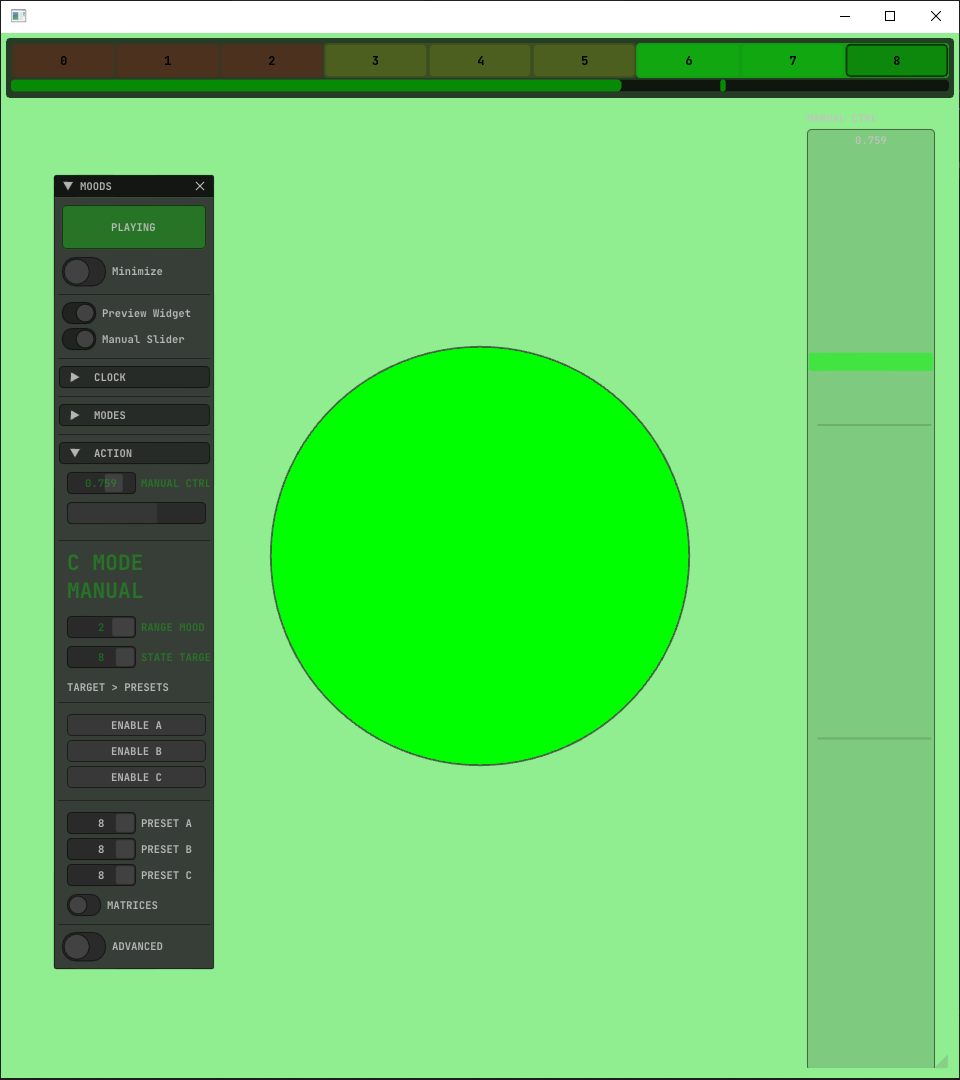
1. There are THREE MOODS (also named RANGES). (Red - Yellow - Green)
2. Each RANGE has THREE STATES. (also named TARGETS)
3. Every TARGET can be linked to three (A-B-C) PRESETS RECEIVERS.
4. Each PRESET RECEIVER has 9 available destinations or variations selected as PRESETS / INDEXES.
What we will do with that Target index evolution?
We will get these indexes changes using callbacks in our ofApp, to apply the States to our Scene, linking them to change some kind of: Parameters / States / Scenes / Preset Selections / Colors / Triggering Video / Sounds ...etc
There's some clock inside?
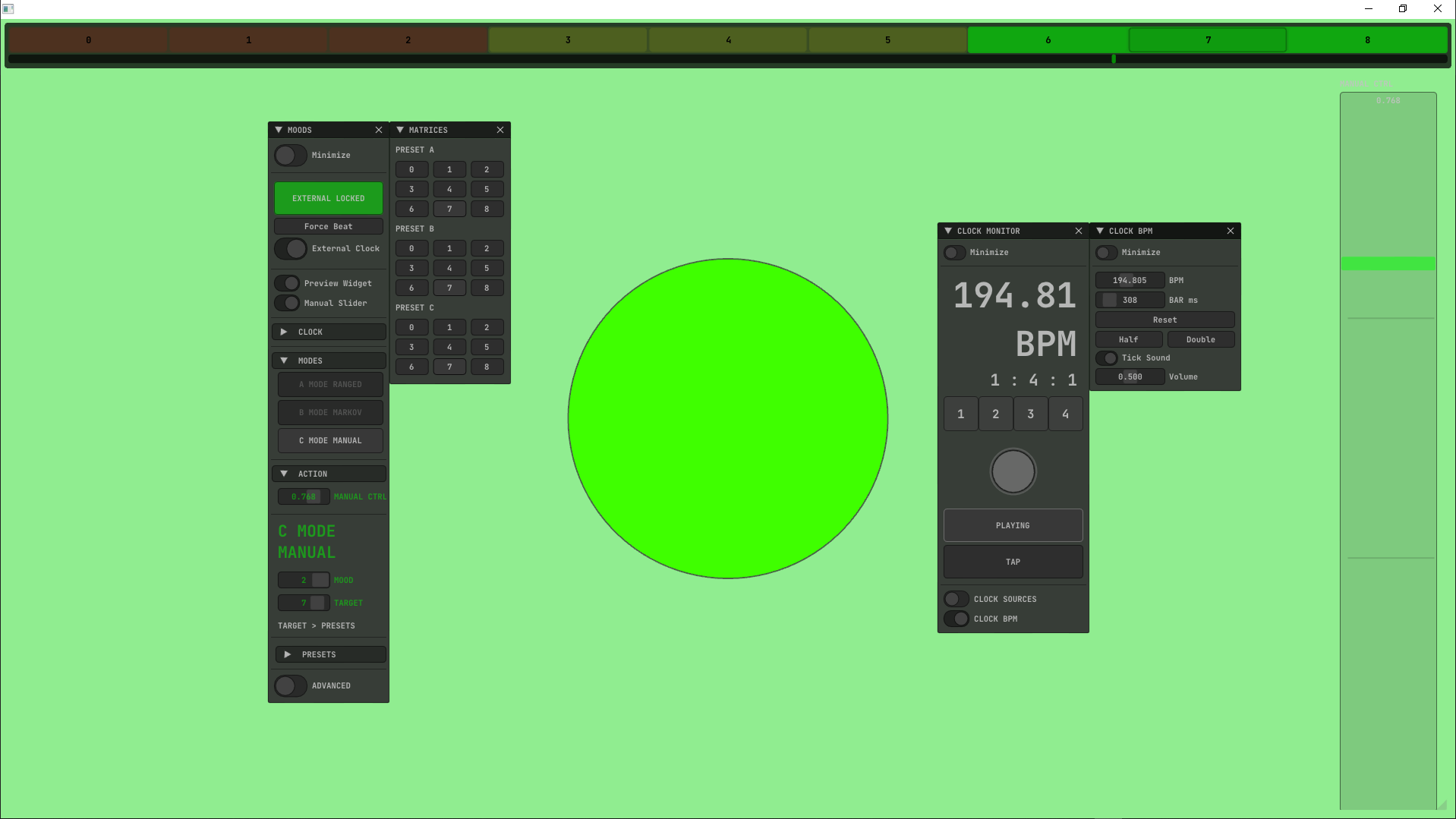
Yes. There is an internal BPM Clock and customizable timers and counters to configure the global speeds or how much time we want to stay or walk around into the MOOD STATES.
Screenshots
1_example-Mood_Basic
2_example-Mood_Advanced
Uses ofxBeatClock.
Features
THREE DIFFERENT MODES
1. MODE RANGED Looped walking through the Moods/Ranges : 123 321 123 ..., doing randomize to select a Target/State around the contained Targets into the Mood/Range.
2. MODE MARKOV CHAIN
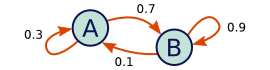 Editable matrix to distribute graph probabilities. Customizable file 'transitionMatrix.txt' with your own text editor. (Each row represents each State, and the odds (%) of jumping to the other States, or "to rest into itself". All row values must add up to 1.0 (100%) to be stochastic.):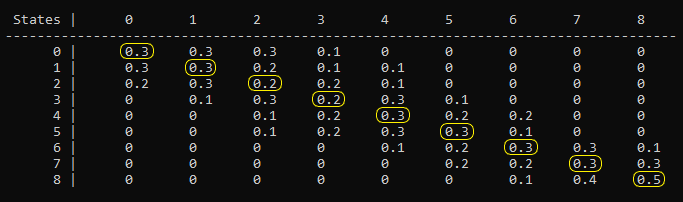
3. MODE MANUAL CONTROL Available float to force select a Mood/Range, and to walk'n'randomize States/Targets locked inside the Mood/Range.
MORE FEATURES
- Optionally avoid repeating the same Target/State on the next step State, in case randomize gets the same previous Target/State.
- Optionally Force to Start-from-First Target/State of the Mood/Range when arriving in one of the three Moods.
- Colored Preview panel to display the workflow during runtime. Also, customizable layout using the mouse.
Usage
- Look into OF_ADDON/examples/.
Dependencies
Download / Clone and add to PROJECT GENERATOR:
- ofxSurfingHelpers
- ofxSurfingBox
- ofxSurfingImGui
- ofxImGui / _Fork_ from @Daandelange.
- ofxBeatClock / _Optional_. For the Advanced Example.
Tested Systems
Windows 10 / VS 2022 / OF ~0.12
Author
An add-on by @moebiusSurfing ( ManuMolina ) 2022*
License
MIT License
Get this addon
Latest release
v1.2
published 5y ago