 ofxAddons

openFrameworks add-on to subscribe, debug and print variables during runtime without any required update
README
ofxSurfingDebugVariables
An openFrameworks add-on to subscribe, debug and print some variables of your ofApp during runtime without any required updating. Based in the original add-on: https://github.com/tettou771/ofxHelpMessage from Toru Takata
You can add variables and text or hardcoded messages.
Added variables (string, float, int, bool) are referenced, and their value can be shown in real-time in any frame at the same text box. You don't need to update anything.
NOTE ABOUT MULTIPLE INSTANCES
The class uses a singleton, so you can add referenced variables (or text) from any of your included classes. You just need to add this header to your classes. When using multiple instances, all classes will "share" the same text box.Screencast
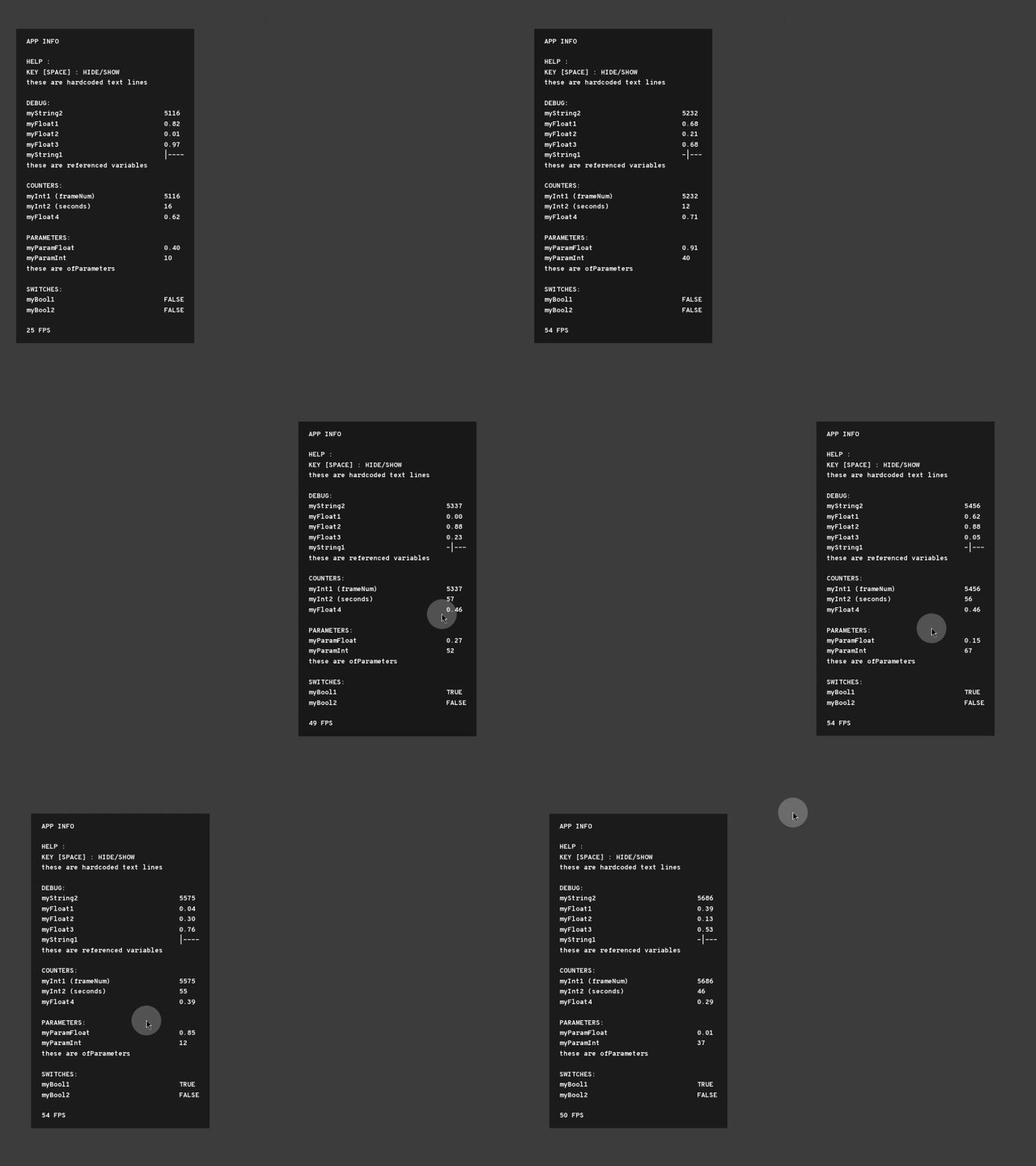
Usage
1. IncludeofxSurfingDebugVariables.h. In multiple clasess, if desired. 2. Put the static methods like ofxSurfingDebugVariables::addText("Key S: save"); in ``setup()`. 3. During runtime press '?' key to show the text box. 4. Box position can be dragged by mouse. Will restore the position on restart your app. 5. Done! All your added variables will be printed on the screen on every frame.
ofApp.h
#include "ofxSurfingDebugVariables.h"
string st1;
float f1;
int i1;
bool b1;
ofParameter<float> floatParam;
ofParameter<int> intParam;
ofApp.cpp
`cpp
void ofApp::setup() { // set the tittle ofxSurfingDebugVariables::setTitle("APP INFO");
// add/subscribe the variables to be monitorized:
// hardcoded string text. no name required. not a variable ofxSurfingDebugVariables::addText("KEY [SPACE]: HIDE/SHOW");//not required name on text type
// pass all variables as reference ofxSurfingDebugVariables::addString("myString1", &str1); ofxSurfingDebugVariables::addFloat("myFloat1 ", &f1); ofxSurfingDebugVariables::addInt("myInt1", &i1); ofxSurfingDebugVariables::addBool("myBool1", &b1);
// add empty line to make space //ofxSurfingDebugVariables::addNewLine(); // ofParameters. only float and int types for now. ofxSurfingDebugVariables::addParamFloat(floatParam); ofxSurfingDebugVariables::addParamInt(intParam);
//--
// control: // change show key //ofxSurfingDebugVariables::setHelpKey('d');// '?' by default //ofxSurfingDebugVariables::setMomentary(true);// show only when key pressed
//--
// customize style: // show //ofxSurfingDebugVariables::setVisible(true); // round box //ofxSurfingDebugVariables::setRounded(true, 5.0f); // set margin borders //ofxSurfingDebugVariables::setMarginBorders(20); // tab label names and variable values aligned by columns //ofxSurfingDebugVariables::setTabbed(true, 1); }
You can use this "workaround" to add other ofParameters types as pointers too: (float and int are implemented)
cpp ofParameter<float> floatParam; ofxSurfingDebugVariables::addFloat(floatParam.getName(), (float)&floatParam.get()); // get the name from the parameter
ofParameter<string> stringParam; ofxSurfingDebugVariables::addString("myString", (string)&stringParam.get()); // put your custom name
Dependencies
ofxScaleDragRect
Tested System
- Windows 10 / VS 2017 / OF ~0.11
- macOS. High Sierra / Xcode9 & Xcode10 / OF ~0.11
More Customization
You can use some extra methods to change appearance and behavior.
For example.
.cpp // clear message //ofxSurfingDebugVariables::clear();
// set text color // default: ofColor::white ofxSurfingDebugVariables::setTextColor(ofColor(255, 255, 0));
// set background color // default: ofColor(0, 0, 0, 150) this is black transparently ofxSurfingDebugVariables::setBackgroundColor(ofColor(0));
// set font // draw with ofTrueTypeFont if loaded ofxSurfingDebugVariables::loadFont("arial.ttf", 30);
// set position // default: (10, 10) ofxSurfingDebugVariables::setPos(500, 500);
``