 ofxAddons

Scene helper to load and colorize grouped layers of an SVG file, blending with a JPG file as outline lines.
README
ofxSCENE-SVG
Overview
An openFrameworks addon to load and live-colorize a customized SVG file layered by named groups. Also blends the SVG with a JPG file, like an outline B&W lines image.Screenshot
Example: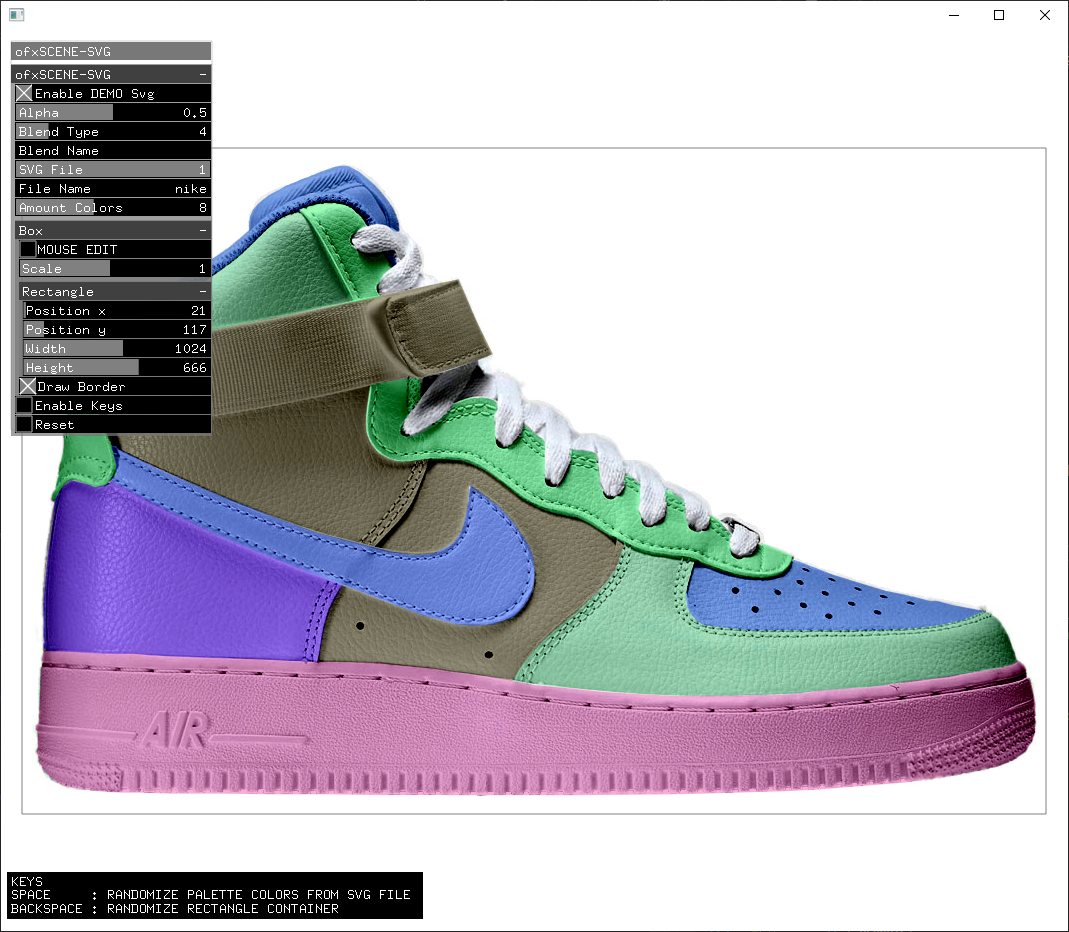
Features
- GUI and
store/recall settings. Resize and scaleusing the mouse.- Different
Blend Modesand transparency. - Selectable file with some limitations.
- Available
ofRectangleto set/get position and size.
Usage
Look at the example.----
How to prepare the SVG file on Illustrator:
Prepare the masks/layers
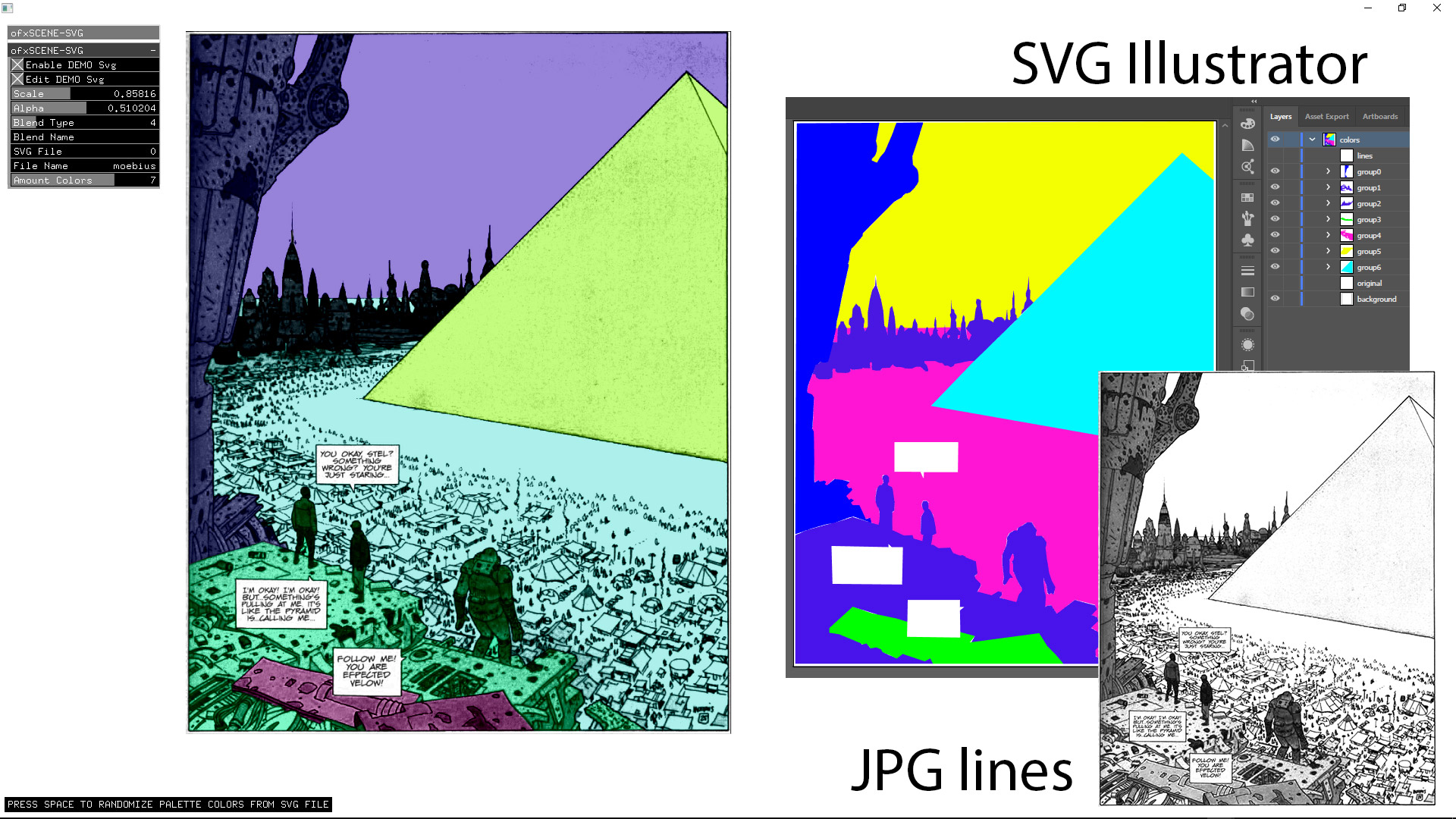
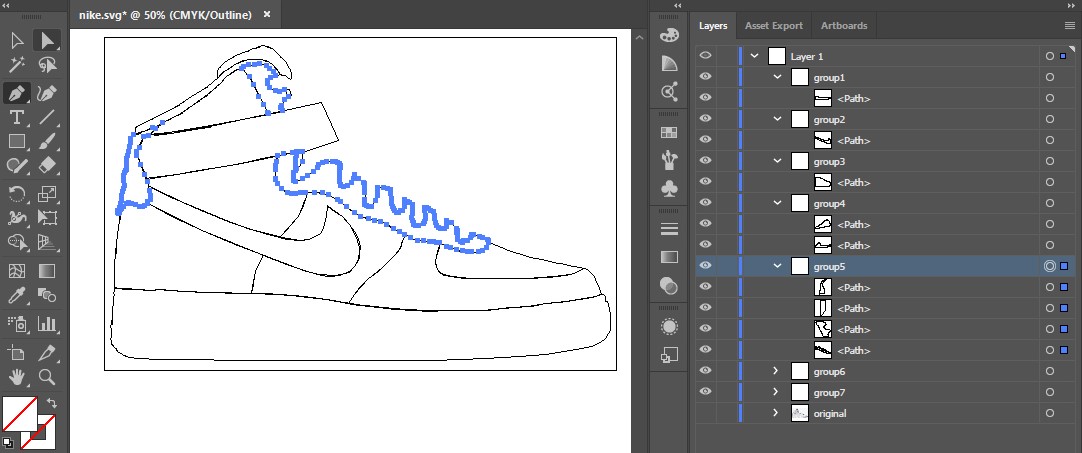
1. Import your image to be vectorized. 2. Draw each color mask/shape by hand. 3. Name the groups/layers as: group1, group2, group3... as in the screenshot. 4. Save as SVG Tiny 1.1. 5. Put the files following the example path and filename structures.
----
Dependencies
ofxSurfingHelpers ofxGui / OF CoreAlready included into OF_ADDON/libs. No need to clone/add manually. Look into folders for authorship, original forks, or licenses. ofxPSBlend ofxSvg ofxSvgLoader
TODO:
Size colors are hardcoded now to my twoSVG samples. Count layers amount from the imported SVG file and use this number of colors. Add masked mode. (?)Tested systems
- Windows10 / VS2017/2022 / OF ~0.11