 ofxAddons


Projection masking, not projection mapping
Forks
Forks pushed to more recently than microcosm/ofxProjectionMask itself, plus any admin-confirmed fork with commits of its own — worth checking if you're hitting issues with the original.

README
ofxProjectionMask
ofxProjectionMask is an addon allowing you to mask projected light over real-world objects, from anything you draw in openFrameworks.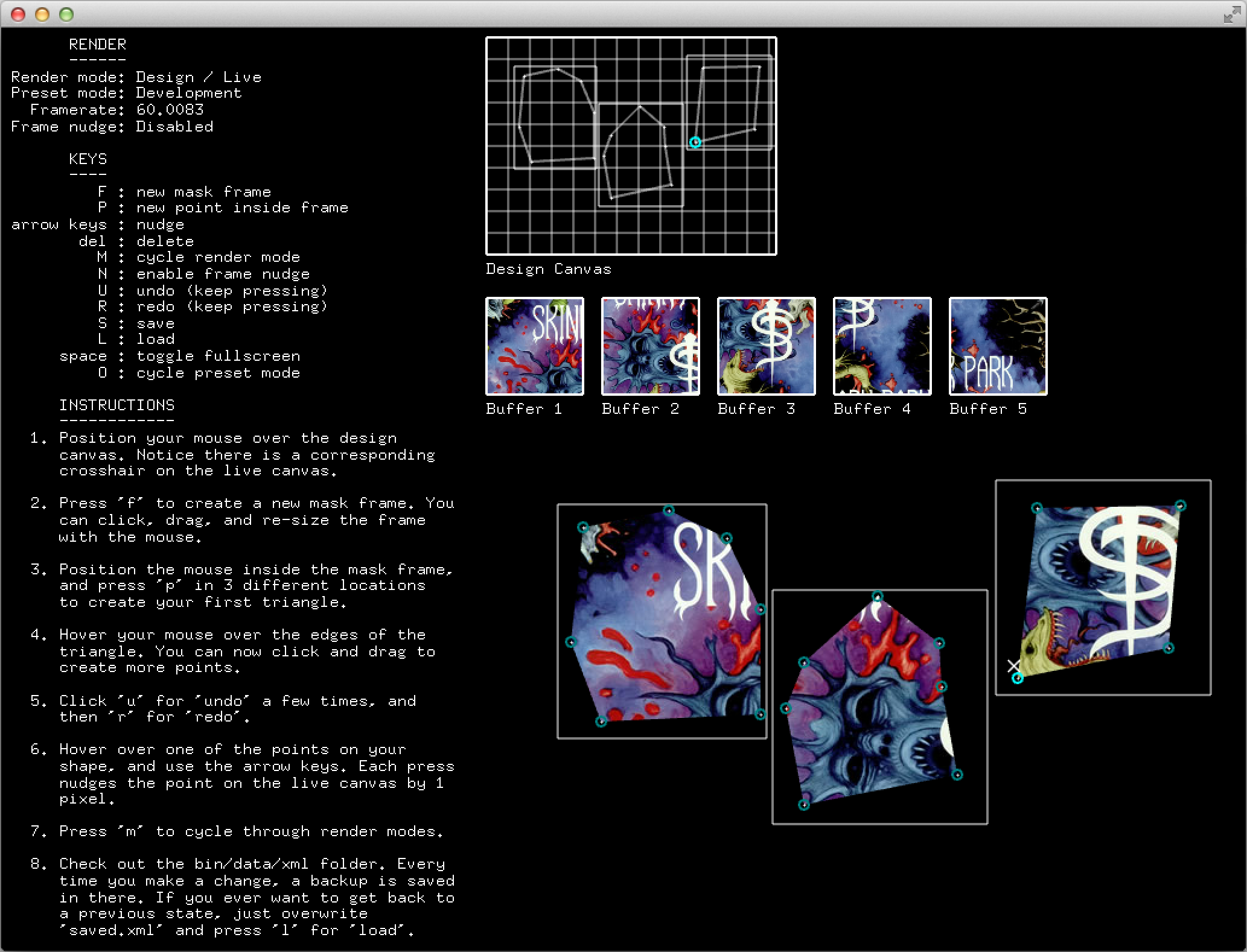
Unlike projection mapping, this is not about creating the illusion that a light surface is 'mapped onto' a physical object; instead this addon simply prevents the light from 'bleeding' outside of the mask.
In other words, this addon separates out the masking from the mapping, and focuses on the former rather than the latter.
Why?
Sometimes you don't want to map, you just want to mask. Sometimes you want the light to 'drape' over an object at it's original rendered resolution. Sometimes you want to transform the media in a way unrelated to it's masking. This addon is for those occasions.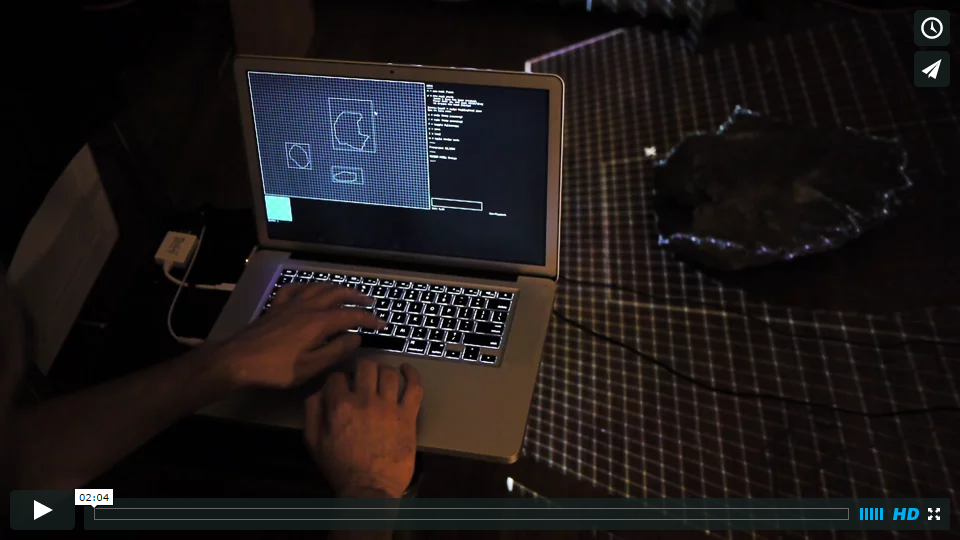
Also, there is a difference in emphasis here. This isn't about 'creating an illusion', this is about experimenting with projected media in the form of light. From this perspective, things don't have to match up in the way we expect them to in the real world - in fact it's better if they don't.
However, you do a have a set of options for how you would like the light to be shaped over the object, including homography and stretch. These options are explained below.
How does it work?
Use the design UI (illustrated above) to carve out shapes at runtime. The UI will be fed by patterns you draw patterns into the addon like this:ofxProjectionMask designer;
ofxLayerMask pattern1, pattern2;
void ofApp::setup(){
designer.setup();
pattern1 = designer.newPattern(640, 480); //Each pattern can have
pattern2 = designer.newPattern(1024, 1024); //unique dimensions
}
void ofApp::update(){
pattern1->begin();
{
//Draw a pattern here
}
pattern1->end();
pattern2->begin();
{
//Draw another pattern
}
pattern2->end();
}
void ofApp::draw(){
designer.draw();
}You can choose from three drawing modes, which apply to the live canvas and change how your pattern is rendered.
void ofApp::setup(){
    designer.setup(DO_NOT_STRETCH);
    //or
    designer.setup(STRETCH_TO_MASKFRAME);
    //or
    designer.setup(HOMOGRAPHY);
}
The drawing modes can only be set on
setup() and apply to all patterns in the ofxProjectionMask instance. Each option affects how patterns are rendered:- ### DO_NOT_STRETCH
- ### STRETCH_TO_MASKFRAME
- ### HOMOGRAPHY
Note: HOMOGRAPHY mode only works when you have exactly 4 mask points inside your mask frame. If you have more than 4 then it falls back to DO_NOT_STRETCH
Check out the
ofApp.cpp file for a full set of instructions and examples.Can I run this fullscreen and with a projector?
Of course! That's what this is all about. Check outofApp.cpp for full instructions.Versions
- 0.3.1
- Removes dependency on ofxSecondWindow
- Bumps OF support to OF v0.10.0
- Simplifies usage via OF listeners
- 0.3.0
- Switches rendering from ofxTriangle to ofxLayerMask
- Adds support for homography and stretching to mask frames
- Simplifies API for drawing patterns
- Moves example patterns to
ofApp.cppto demonstrate - 0.2.0
- New screen management with ofxSecondWindow
- Splits XML storage locations based on preset mode
- Drops support for cycling between 'development' and 'production' mode presets at runtime. Now you have to select one mode or another before compiling, as described in
ofApp.cpp - 0.1.0 Initial release
Project dependencies
- ofxLayerMask to mask patterns based on the points you select
- ofxXmlSettings to store masks as you draw them - it's part of the openFrameworks core
- Tested against openFrameworks 0.10.0