 ofxAddons


Library C++ for raspberrypi and orangepi, GPIO interfaces compatible with openframeworks.
Forks
Forks pushed to more recently than kashimAstro/ofxGPIO itself, plus any admin-confirmed fork with commits of its own — worth checking if you're hitting issues with the original.


README
ofxGPIO
A small library in C++ for the use of GPIO raspberrypi (A/B/2/3/Zero) orangepi (one/zero/plus) this library is compatible with the toolkit for creative coding <a href="http://openframeworks.cc/">Openframeworks</a>. Interface GPIO: SPI (Serial Peripheral Interface), I2C (Inter Integrated Circuit), IO Pin read/write. With utilities such as: graphical gui (Gtk+ / Zenity) and TCP Unix socket implementation.
<b><a href="http://www.ziggurats.net/port.php?port=ofxGPIO" target="_blank">Documentation</a></b>
/ define for activated more functionality /

-D COMPILE_WITHOUT_OPENFRAMEWORKS / if = 1 work pure c++ without openframeworks toolkit /
-D GTK_UI 			  / if = 1 activated c++ simple bridge for UI gtk+ /
-D ENABLE_BCM2835		  / if = 1 activated c header BCM2835 /
-D ENABLE_ZENITY                  / if = 1 activated zenity for UI debug /
<h2>Sample simple syntax ofxGPIO I/O</h2>
#include <iostream>
include "ofxGPIO.h"

int main()
{
        GPIO gpio;
        string state;
        int i = 0;

        gpio.setup(GPIO17,OUT,LOW);

        while(i<100)
        {
            gpio.set(HIGH);
            state = "State pin17: "+to_string(gpio.get());
            Log(state,FG_RED,BG_WHITE) <<"\n";
            sleep(2);

            gpio.set(LOW);
            state = "State pin17: "+to_string(gpio.get());
            Log(state,FG_BLUE,BG_WHITE) <<"\n";
            sleep(2);

            i++;
        }

        gpio.close();
        return 0;
}
<h2> GPIO support </h2>
<table border="1"> <tr> <td><img src="screen/Raspberry-Pi-GPIO-pinouts.png"/></td> <td><img src="screen/orangepi.png"/></td> <td><img src="screen/jeston_nano_pin.png"/></td> <td><img src="screen/jeston_nano.png"/></td> </tr> </table>
<h2> Simple Gtk+ UI Utility </h2> <table border="1"> <tr> <td><img src="screen/gtk-ui.png"/></td> </tr> </table>
<h2>Sample syntax ofxGPIO i2c</h2>
I2c  bus;

bus = new I2c("/dev/i2c-1");
bus->addressSet(0x04);

while(1)
{
	bus->writeByte(0x04,1);
	usleep(500000);
	bus->writeByte(0x04,0);
	usleep(500000);
}
<h2> Zenity UI Utility </h2> <table border="1"> <tr> <td><img src="screen/6ui.png"/></td><td><img src="screen/1ui.png"/></td><td><img src="screen/2ui.png"/></td> </tr> <tr> <td><img src="screen/3ui.png"/></td><td><img src="screen/4ui.png"/></td><td><img src="screen/5ui.png"/></td> </tr> </table>
<h2> Sample </h2>
<table border="1"> <tr> <td><img src="screen/rf24-scanner.gif"/></td><td><img src="screen/14mtz6kkrVLUPe.gif"/></td><td><img src="screen/dVBS2AwaDFGa4.gif"/></td> </tr> <tr> <td><img src="screen/Uqvo9WQ8X1RTO.gif"/></td><td><img src="screen/3SJ2Lc9EO9KSs.gif"/></td><td><img src="screen/uRLtiGKjNqFwY.gif"/></td> </tr> </table>
<h2>Sample syntax ofxGPIO SPI</h2>
SPI2 spi;
char data[2];

data[0] = 1;
data[1] = 2;

spi.setup("/dev/spidev0.0",1000000);
spi.readWrite(1, (unsigned char )data, 2);
<!--<table> <tr> <td align="center"><img src="screen/Raspberry-Pi-logo.jpg"></td> </tr> </table>-->
<h2> Example ofxGPIO </h2>
<!--


 -->
-->Example scanner with nRF24L01: <ul> <li>Raspberry pi (2/3/Zero/A/A+/B+) <li>nRF24L01</li> </ul> fritzing example:

Example simple Button Read state: <ul> <li>Raspberry pi (2/3/Zero/A/A+/B+) <li>Button</li> </ul> fritzing example:

Example simple Led Blink: <ul> <li>Raspberry pi (2/3/Zero/A/A+/B+) <li>Led</li> </ul> fritzing example:

Example simple Relay on / off Light: <ul> <li>Raspberry pi (2/3/Zero/A/A+/B+) <li>Relay 5v</li> <li>Lamp</li> </ul> fritzing example:

Example GPS UART: http://aprs.gids.nl/nmea/ <ul> <li>Raspberry pi (2/3/Zero/A/A+/B+) <li>GPS breakout v3</li> </ul> fritzing example:

Example i2c multiple byte read MPU6050: <ul> <li>Raspberry pi (2/3/Zero/A/A+/B+) <li>MPU6050</li> </ul> fritzing example:

Example Led Matrix8x8: <ul> <li>Raspberry pi (2/3/Zero/A/A+/B+) <li>Led Matrix</li> </ul> fritzing example:

Example Servo motor(Attention raspberry not to have pin PWM, for this we use a CLK pin, advice integrated pwm): <ul> <li>Raspberry pi (2/3/Zero/A/A+/B+) <li>Servo Motor</li> </ul> fritzing example:

Example GPIO read/write stepper rotation: <ul> <li>Raspberry PI</li> <li>Stepper Motor bipolar</li> <li>sn754410ne H-Bridge</li> <li>Button</li> <li>wiring</li> </ul>
fritzing example:
 sn754410ne H-Bridge: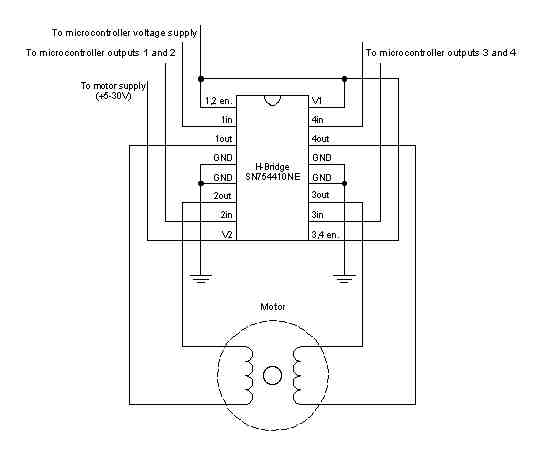
video: <a href="http://www.youtube.com/watch?v=lwRd5D9EuU0">http://www.youtube.com/watch?v=lwRd5D9EuU0</a>
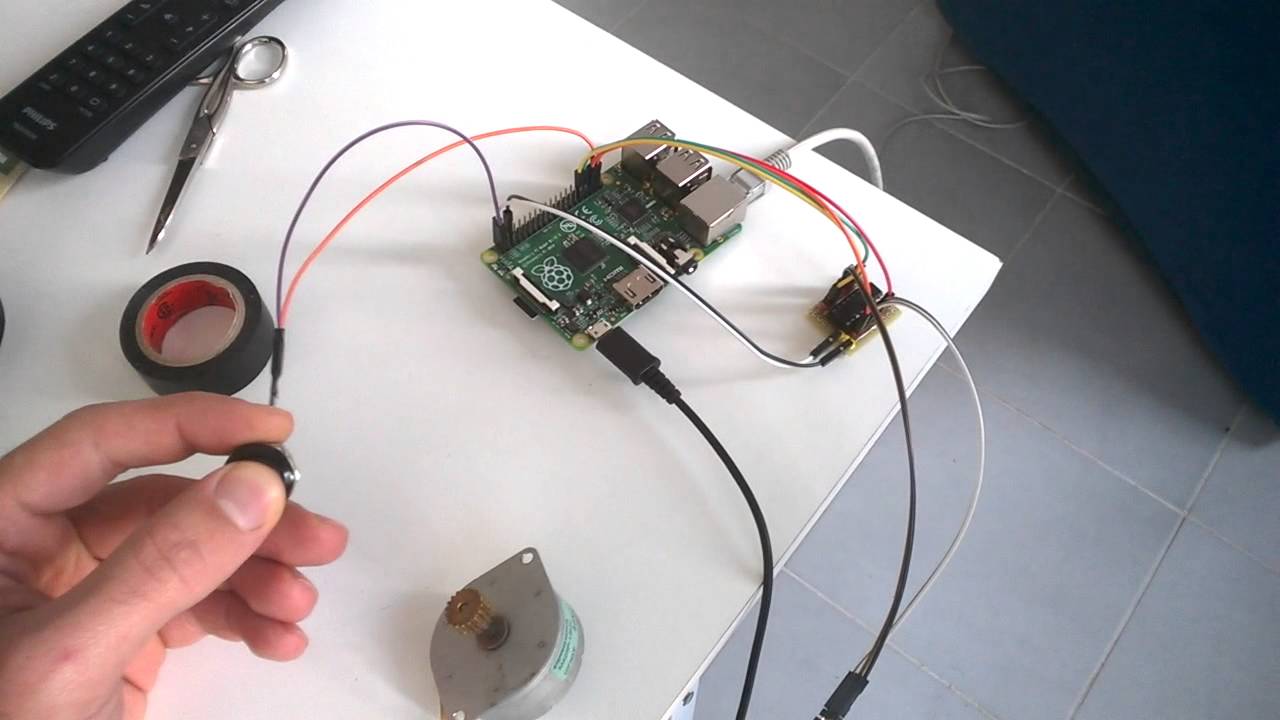
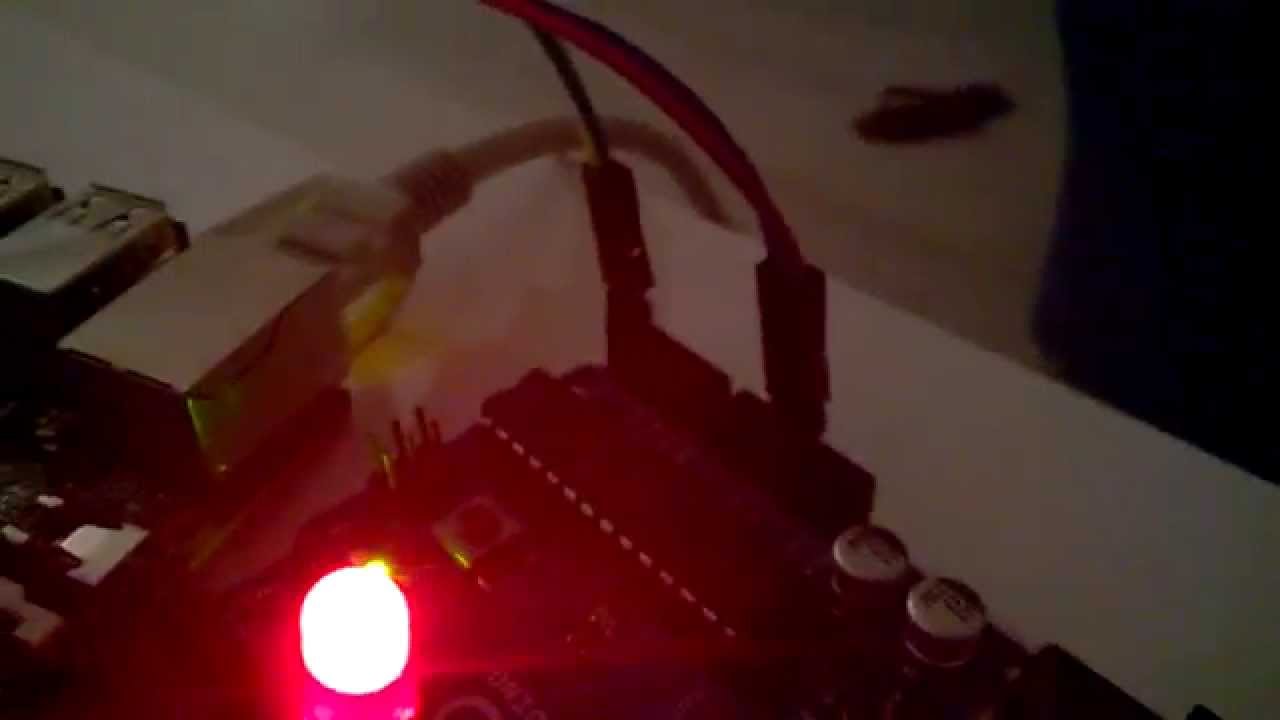
Example GPIO I2C communication: <ul> <li>Raspberry PI</li> <li>Arduino</li> <li>LED</li> <li>Resistor 75 ohm</li> <li>wiring</li> </ul>
fritzing example:

video: <a href="http://www.youtube.com/watch?v=SRz750EdjfY">http://www.youtube.com/watch?v=SRz750EdjfY</a>
Example GPIO SPI add Analog pin MCP3008 potentiometer: <ul> <li>Raspberry</li> <li>MCP3008</li> <li>Potentiometer</li> <li>wiring</li> </ul>
fritzing example:
 MCP3008 8-Channel 10-Bit ADC
video: <a href="http://www.youtube.com/watch?v=PkDkCJyZ2go">http://www.youtube.com/watch?v=PkDkCJyZ2go</a>
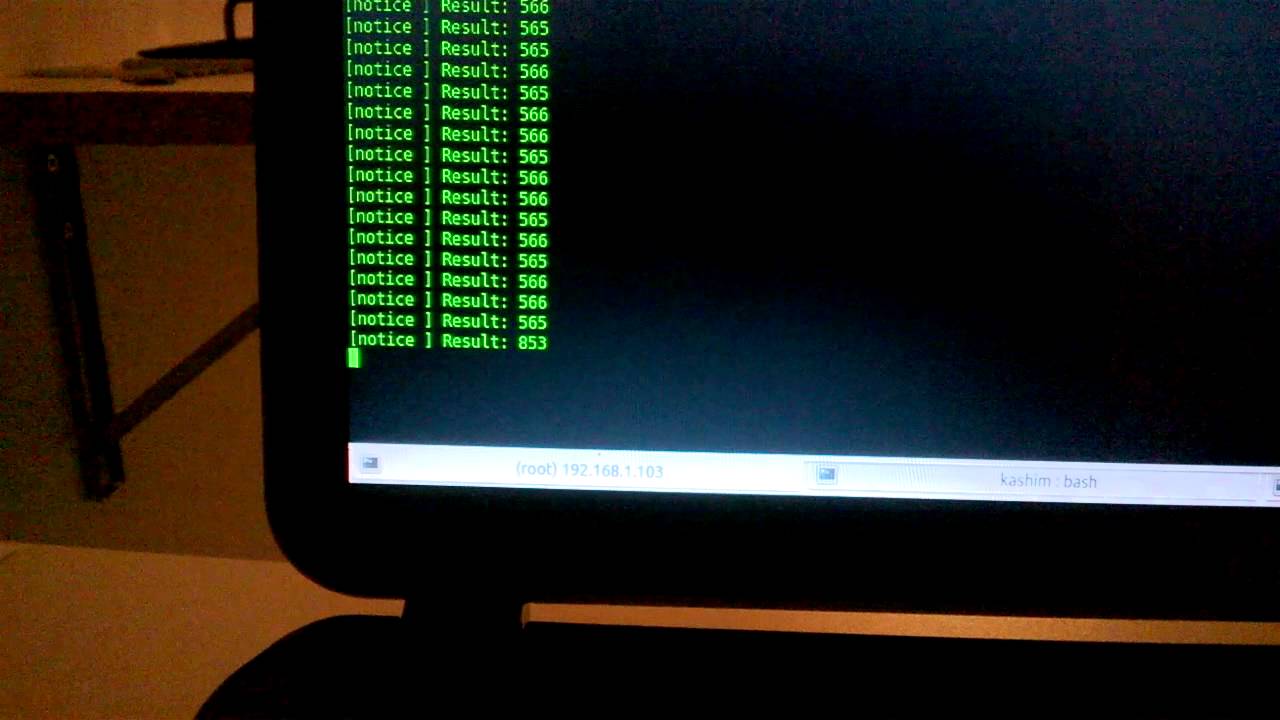
for i2c and SPI configuration visit this page:
https://learn.adafruit.com/adafruits-raspberry-pi-lesson-4-gpio-setup/configuring-spi
https://learn.adafruit.com/adafruits-raspberry-pi-lesson-4-gpio-setup/configuring-i2c
<b><h2>Datasheet integrated list:</h2></b>
<b>Drive motor:</b>
http://www.ti.com/lit/ds/symlink/l293.pdf
http://www.ti.com/lit/ds/symlink/sn754410.pdf
http://www.ti.com/lit/ds/symlink/uln2003a.pdf
http://www.st.com/content/ccc/resource/technical/document/datasheet/f3/6e/c8/64/4d/b3/4e/38/CD00001244.pdf/files/CD00001244.pdf/jcr:content/translations/en.CD00001244.pdf
<b>Motor stepper Bipolar / Unipolar:</b>
http://motion.schneider-electric.com/downloads/datasheets/14_mtr.pdf
http://www.mitsumi.co.jp/latest/Catalog/pdf/motor_m35sp_9_e.pdf
<b>A/D Converters:</b>
https://cdn-shop.adafruit.com/datasheets/MCP3008.pdf
http://ww1.microchip.com/downloads/en/DeviceDoc/21295C.pdf
<b>ATmega48A/PA/88A/PA/168A/PA/328/P:</b>
http://www.atmel.com/images/Atmel-8271-8-bit-AVR-Microcontroller-ATmega48A-48PA-88A-88PA-168A-168PA-328-328P_datasheet_Complete.pdf
<b>MPU-6000 / MPU-6050:</b>
https://www.cdiweb.com/datasheets/invensense/MPU-6050_DataSheet_V3%204.pdf
<b>Adafruit Ultimate GPS:</b>
https://cdn-learn.adafruit.com/downloads/pdf/adafruit-ultimate-gps.pdf
<b>Adafruit LED Backpacks:</b>
https://cdn-learn.adafruit.com/downloads/pdf/adafruit-led-backpack.pdf
<b>EEPROM</b>
http://www.bucek.name/pdf/24c16.pdf http://www.st.com/content/ccc/resource/technical/document/datasheet/5c/df/52/a5/15/f2/48/bd/CD00259166.pdf/files/CD00259166.pdf/jcr:content/translations/en.CD00259166.pdf