 ofxAddons

Load fixtures generated by Physics Editor (https://www.codeandweb.com/physicseditor) in OpenFrameworks
README
ofxPhysicsEditorBox2D
OpenFrameworks addon for loading fixtures generated by Physics Editor(https://www.codeandweb.com/physicseditor).
Features
Attach polygons and circles Debug draw facility of all fixturesDependencies
ofxBox2dOutput
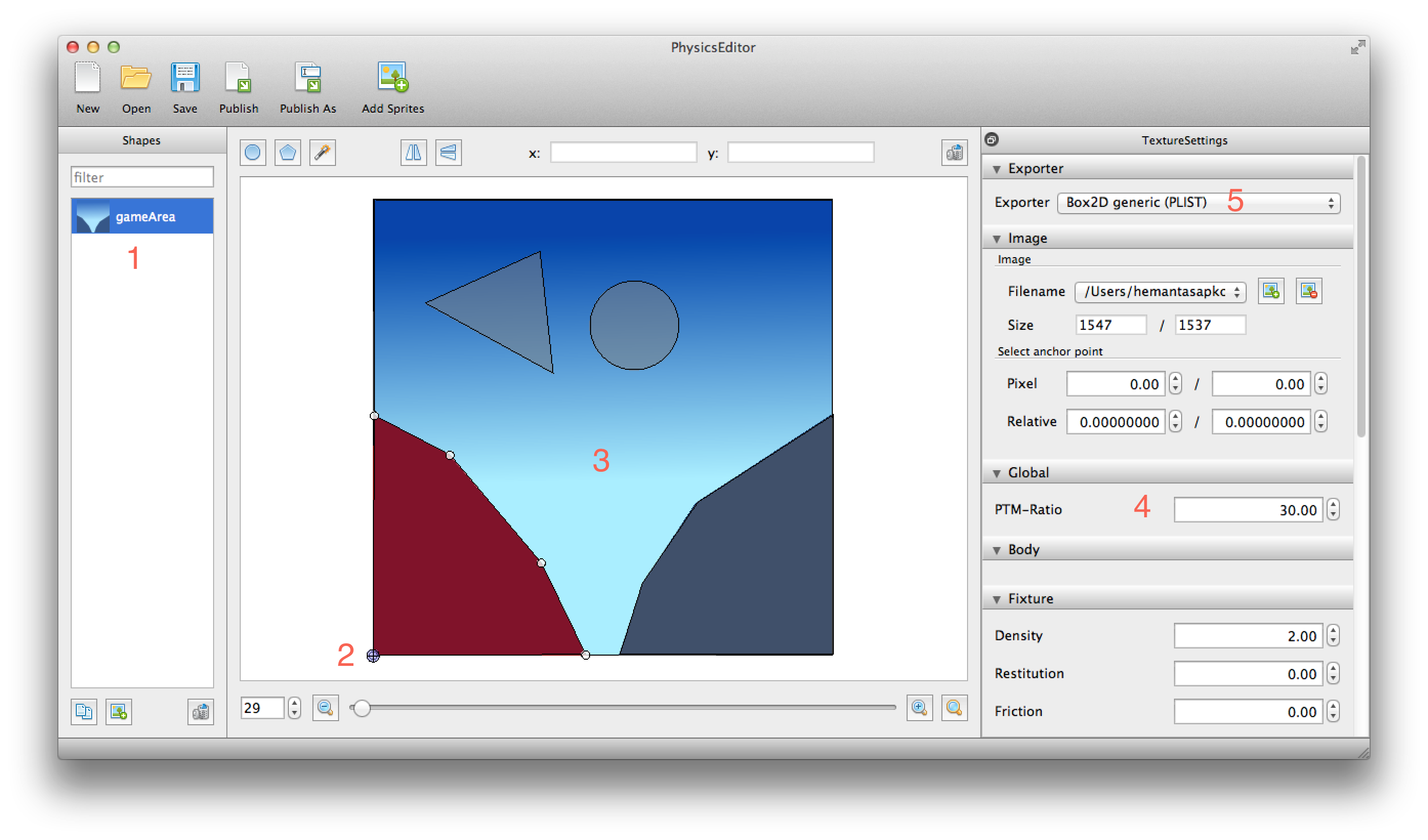
The following image shows the Physics Editor file with all the fixtures. The annotated image is concerned with the following:
1 - Shape name: Corresponds to a Box2D Body. May conatain many fixtures. 2 - Anchor Point: This relative position is taken into account while initializing the positions of the bodies. 3 - Fixtures: Polygons and Circles. 4 - PTM Ratio: Pixel-To-Meters ratio. This addon works best with PTM = 30. 5 - Export Format: This addon works with Box2D Generic (PLIST).
The following screenshot was taken from iPAD Mini Retina.

Usage
Init Box2D box2d.init();
box2d.setGravity(0, 10);
box2d.setFPS(60.0); b2BodyDef bodydef;
bodydef.type = b2_staticBody; //could be static, dynamic or kinematic
gameArea = box2d.getWorld()->CreateBody(&bodydef); NSString void ofApp::draw() {
ofPushStyle();
ofSetLineWidth(3);
[[GB2ShapeCache sharedShapeCache] drawFixtures];
ofPopStyle();
}See Example for more details.