 ofxAddons

Use VisualGDB to cross-compile, deploy and debug on Raspberry Pi
README
Introduction
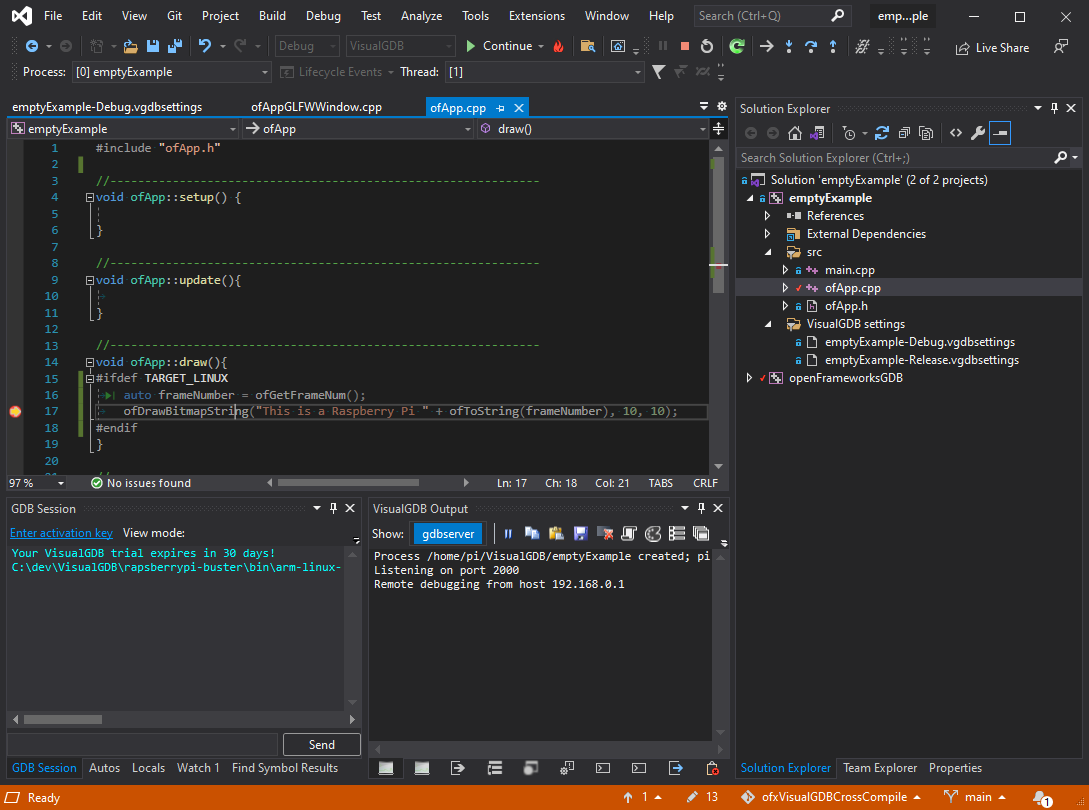
Cross compilation support of openFrameworks for the Raspberry Pi when developing in Windows using VisualGDB / Visual Studio.
Supports:
Cross compiling Remote deployment Debugging
Check [https://forum.openframeworks.cc/t/cross-compiling-for-raspberry-pi-from-windows/39645] for more details.
Notes
You will need to have the raspberry pi libraries in your local openFrameworks folders e.g.
openFrameworks/libs/tess2/lib/linuxarmv6l. If you get errors about including KISS FFT headers, then make sure that the define TARGET_NO_SOUND is working correctly for your project (sometimes the inherited settings can break due to complications in the way projects work with .props under VisualGDB). If you get missing header files (e.g. gst.h or X11 header files) then it's likely because your toolchain doesn't include all the libraries that are required. Generally this is achieved by synchronising the sysroot folder with the Raspberry Pi (presuming that the Raspberry Pi itself is capable of building oF projects, i.e. has all the correct libraries installed). You can do this using these instructions. Also here is a copy of our c:\sysgcc folder. Recommendations
Copy the
emptyExample.vcxproj and emptyExample.sln into your project folder. Don't try to mix VisualGDB projects/solutions with Win32/x64 projects/solutions (e.g. call is MyAppGDB.sln, etc)