 ofxAddons


An OF addon to ease the use of well-known shaders
README
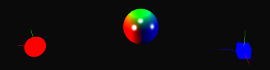
ofxShadersFX
3D shader effects made easy in openFrameworks
ofxShadersFX is an addon for openFrameworks (0.8.3+) to ease the use of common-used shaders in 3D scenes.
It is currently focused on lighting and mapping-based effects.
The addon is supposed to be both OpenGL 2 (fixed pipeline) and OpenGL 3 (programmable pipeline) compatible.
If you notice a compatibility issue or any other bug, please report!
Features
- Lighting
- Phong
- Blinn-Phong
- Mapping
- Displacement mapping
- Alpha blending
- Color key mapping
- Lighting
- Toon
- Flat
- Oren-Nayar
- Cook-Torrance
- Ward anisotropic reflection
- Mapping
- Normal mapping
How to use it
To use the ofxShadersFX addon in your own projects:
- Download or clone the ofxShadersFX git repository in your openFrameworks
addonsfolder. - Create a new openFrameworks project using the project generator, make sure ofxShadersFX is enabled and selected from the list of addons shown.
- Open your project with you IDE of choice.
- Now select your ofApp.h file, and add
#include "ofxShadersFX.h"under#include "ofMain.h". - You'll have access to all ofxShaderFX functions. Note you can also include only a particular namespace if you're not interested in others (e.g. #include "ofxShaderFX_Lighting.h")
Note 1: you normally only have to setup your ofxShadersFX shader once (e.g. in the ``
ofApp::setup` function), and the shader will remember your settings when it works. If you're changing parameters during runtime, the shader will automatically reload itself.Note 2: most of ofxShadersFX functions parameters are pointers, so you have to pass the address (with the `
&`) of objects. If these are dynamically allocated objects (with `new`), that's your job to `delete` them when you want to discard them. Be careful to remove them from the shader when you delete them, otherwise the shader relies itself on freed memory.
Quickstart
Example of a lighting shader:
// In header file...
include "ofxShadersFX.h"
class ofApp {
public:
ofxShadersFX::Lighting::LightingShader m_lightShader; // creates a pixel-shaded Blinn-Phong shader by default
// ...
};
// In .cpp file...
void ofApp::setup() {
// Let's say you want to change the lighting effect to some vertex-shaded Phong lighting
m_lightShader.setLightingMethod(ofxShadersFX::Lighting::PHONG_LIGHTING);
m_lightShader.setShadingMethod(ofxShadersFX::Lighting::VERTEX_SHADING);
// Use your lights, material and camera configuration of choice.
m_lightShader.useLight(&pointLight); // ofLight pointLight
m_lightShader.useMaterial(&mat); // ofMaterial mat
m_lightShader.useCamera(&cam); // ofEasyCam cam
// ...
}
void ofApp::draw() {
// Let sphere be a ofSpherPrimitive you want to light.
// If sphere is textured, you can tell the shader to blend the texture color with the lighting:
m_lightShader.useTexture(&myTexture); // ofImage myTexture
cam.begin();
m_lightShader.begin();
sphere.draw();
m_lightShader.end();
cam.end();
}
For a complete example, please check the bundled examples projects (example_Lighting and example_Mapping`). These projects should work out-of-the-box after the installation of the addon, if you download their folder in the apps/myApps folder of your OF installation and compile them with the IDE of your choice.Requirements
- openFrameworks 0.8.3+, tested on 0.9.8 (may be compatible with other releases, that's not guaranteed)