 ofxAddons

Tracks the head with a Kinect so the screen becomes a viewport into a 3D environment that behaves as if in front of you.
Forks
Forks pushed to more recently than Albert/ofxPortalCam itself, plus any admin-confirmed fork with commits of its own — worth checking if you're hitting issues with the original.

README
ofxPortalCam
An OpenFrameworks addon that opens up portals to different worlds. No, seriously, that's what it does. : |
(Click image to watch video):
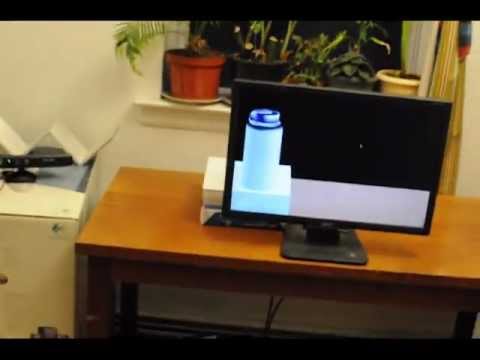
By tracking the head with the Kinect and using some nifty features in OpenFrameworks, your monitor (or projected image or whatever) becomes a viewport through which you can view a digital 3d environment. This digital 3d environment behaves as if it's actually in front of your face.
Dependencies
1. OpenFrameworks up to this commit: https://github.com/openframeworks/openFrameworks/pull/1201 2. ofxOpenNI 3. ofxRay 4. ofxXmlSettings (comes packaged with OF, but just want to note it)
Installation
Only Mac is supported. Will happily consider Pull Requests for support for other OS's
If you (1) don't have openFrameworks or (2) don't have a git-controlled version of openFrameworks, you'll need that (skip this step if you already have a git managed copy of OF). In terminal, move to wherever you'd like to put openFrameworks, and run the following:
git clone git://github.com/openframeworks/openFrameworks.git cd openFrameworks/
Great, now that you're in the openframeworks directory, run the following:
git remote add elliot git://github.com/elliotwoods/openFrameworks.git git pull elliot feature-ofCamera-lensOffset cd addons git clone git://github.com/elliotwoods/ofxRay.git git clone git://github.com/gameoverhack/ofxOpenNI.git cd ofxOpenNI git checkout ddb00b7b5ba00438c0146fed22add733377bcf59 -b ofxPortalCam cd .. git clone git://github.com/Albert/ofxPortalCam.git
*Quick note -- This implementation of ofxOpenNI is _not_ the current implementation. This means that other apps that use ofxOpenNI will no longer work. To switch between the two branches, cd into ofxOpenNI and run "git checkout master" or "git checkout ofxPortalCam".
Woot! Now just open /ofxPortalCam/ofxPortalCamBasicExample/ofxPortalCamBasicExample.xcodeproj/
For instructions on the calibration process, check out the notes in src/testApp.cpp
Enjoy!